httpx
Быстрый многофункциональный HTTP-toolkit от ProjectDiscovery для проверки списков хостов. Определяет живые веб-серверы, технологии, заголовки, статус-коды, редиректы и многое другое. Возможности: - Пробинг тысяч хостов параллельно - Определение технологий (Wappalyzer-based) - Снятие скриншотов с headless Chrome - Извлечение заголовков, title, favicon hash, TLS info - Фильтрация по статус-коду, размеру, слову в ответе - Поддержка HTTP/1.1, HTTP/2, HTTP/3 - Вывод в JSON для интеграции в пайплайны
Современный высокопроизводительный веб-краулер от ProjectDiscovery. Поддерживает JavaScript-рендеринг, автоматическое заполнение форм и глубокий обход SPA-приложений. Возможности: - …
Феноменально быстрый веб-фаззер, написанный на Go. Имя расшифровывается как "Fuzz Faster U Fool". Заменяет wfuzz, gobuster …
Продвинутый брутфорсер веб-директорий и файлов. Находит скрытые пути, резервные копии, admin-панели и другие ресурсы, недоступные через …
Быстрый брутфорсер директорий, файлов, DNS-субдоменов и виртуальных хостов. Написан на Go, работает значительно быстрее аналогов на …
# go install:
go install -v github.com/projectdiscovery/httpx/cmd/httpx@latest

# apt (ProjectDiscovery repo):
sudo apt install -y httpx

# Примеры:
# Проверить список хостов:
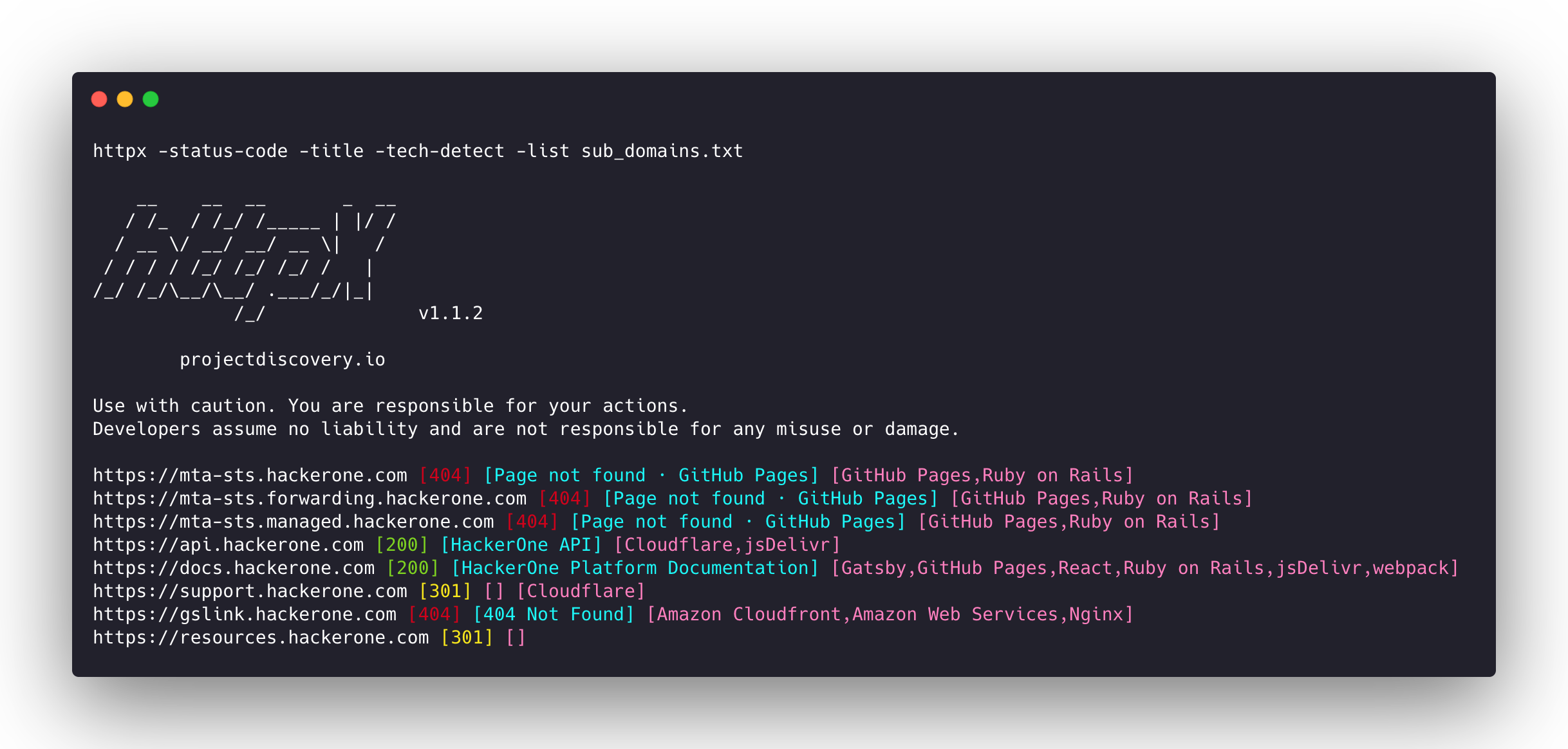
cat hosts.txt | httpx -status-code -title -tech-detect

# Найти живые серверы с HTTP/2:
cat urls.txt | httpx -h2 -silent

# Снять скриншоты:
cat urls.txt | httpx -screenshot -o results/

# Фильтр по статусу:
cat hosts.txt | httpx -mc 200,301 -json -o live.json






Возможности • Установка • Использование • Документация • Примечания • Присоединиться к Discord
httpx — быстрый и многофункциональный HTTP-инструментарий, позволяющий запускать множество проверок с использованием библиотеки retryablehttp. Он разработан для поддержания надёжности результатов при увеличении количества потоков.
Возможности
- Простая и модульная кодовая база, облегчающая внесение вклада.
- Быстрые и полностью настраиваемые флаги для проверки нескольких элементов.
- Поддержка множественных HTTP-проверок.
- Умный автоматический переход с https на http по умолчанию.
- Поддержка хостов, URL и CIDR в качестве входных данных.
- Обработка пограничных случаев: повторы, откаты и т.д. для работы с WAF.
Поддерживаемые проверки
| Проверки | Проверка по умолчанию | Проверки | Проверка по умолчанию |
|---|---|---|---|
| URL | true | IP | true |
| Заголовок | true | CNAME | true |
| Код статуса | true | Необработанный HTTP | false |
| Длина содержимого | true | HTTP2 | false |
| Сертификат TLS | true | HTTP Pipeline | false |
| Заголовок CSP | true | Виртуальный хост | false |
| Количество строк | true | Количество слов | true |
| Заголовок Location | true | CDN | false |
| Веб-сервер | true | Пути | false |
| Веб-сокет | true | Порты | false |
| Время ответа | true | Метод запроса | true |
| Хеш фавикона | false | Статус проверки | false |
| Хеш тела | true | Хеш заголовка | true |
| Цепочка перенаправлений | false | URL-схема | true |
| JARM Hash | false | ASN | false |
Инструкции по установке
httpx требует go >=1.25.0 для успешной установки. Запустите следующую команду для получения репозитория:
go install -v github.com/projectdiscovery/httpx/cmd/httpx@latest
Чтобы узнать больше об установке httpx, см. https://docs.projectdiscovery.io/tools/httpx/install.
| :exclamation: Отказ от ответственности |
|---|
| Этот проект находится в активной разработке. Ожидайте изменений, ломающих обратную совместимость, при выходе новых версий. Ознакомьтесь с журналом изменений перед обновлением. |
| Этот проект в основном был разработан для использования в качестве автономного CLI-инструмента. Его запуск в качестве службы может создавать риски безопасности. Рекомендуется использовать с осторожностью и дополнительными мерами безопасности. |
Использование
httpx -h
Это выведет справку по инструменту. Ниже приведены все поддерживаемые им переключатели.
httpx is a fast and multi-purpose HTTP toolkit that allows running multiple probes using the retryablehttp library.

Usage:
  ./httpx [flags]

Flags:
INPUT:
   -l, -list string              input file containing list of hosts to process
   -rr, -request string          file containing raw request
   -u, -target string[]          input target host(s) to probe
   -im, -input-mode string       mode of input file (burp)

PROBES:
   -sc, -status-code                      display response status-code
   -cl, -content-length                   display response content-length
   -ct, -content-type                     display response content-type
   -location                              display response redirect location
   -favicon                               display mmh3 hash for '/favicon.ico' file
   -hash string                           display response body hash (supported: md5,mmh3,simhash,sha1,sha256,sha512)
   -jarm                                  display jarm fingerprint hash
   -rt, -response-time                    display response time
   -lc, -line-count                       display response body line count
   -wc, -word-count                       display response body word count
   -title                                 display page title
   -bp, -body-preview                     display first N characters of response body (default 100)
   -server, -web-server                   display server name
   -td, -tech-detect                      display technology in use based on wappalyzer dataset
   -cff, -custom-fingerprint-file string  path to a custom fingerprint file for technology detection
   -method                                display http request method
   -ws, -websocket                        display server using websocket
   -ip                                    display host ip
   -cname                                 display host cname
   -extract-fqdn, -efqdn                  get domain and subdomains from response body and header in jsonl/csv output
   -asn                                   display host asn information
   -cdn                                   display cdn/waf in use (default true)
   -probe                                 display probe status

HEADLESS:
   -ss, -screenshot                 enable saving screenshot of the page using headless browser
   -system-chrome                   enable using local installed chrome for screenshot
   -ho, -headless-options string[]  start headless chrome with additional options
   -esb, -exclude-screenshot-bytes  enable excluding screenshot bytes from json output
   -ehb, -exclude-headless-body     enable excluding headless header from json output
   -no-screenshot-full-page         disable saving full page screenshot
   -st, -screenshot-timeout value   set timeout for screenshot in seconds (default 10s)
   -sid, -screenshot-idle value     set idle time before taking screenshot in seconds (default 1s)
   -jsc, -javascript-code string[]  execute JavaScript code after navigation

MATCHERS:
   -mc, -match-code string            match response with specified status code (-mc 200,302)
   -ml, -match-length string          match response with specified content length (-ml 100,102)
   -mlc, -match-line-count string     match response body with specified line count (-mlc 423,532)
   -mwc, -match-word-count string     match response body with specified word count (-mwc 43,55)
   -mfc, -match-favicon string[]      match response with specified favicon hash (-mfc 1494302000)
   -ms, -match-string string[]        match response with specified string (-ms admin)
   -mr, -match-regex string[]         match response with specified regex (-mr admin)
   -mcdn, -match-cdn string[]         match host with specified cdn provider (cloudfront, fastly, google, etc.)
   -mrt, -match-response-time string  match response with specified response time in seconds (-mrt '< 1')
   -mdc, -match-condition string      match response with dsl expression condition

EXTRACTOR:
   -er, -extract-regex string[]   display response content with matched regex
   -ep, -extract-preset string[]  display response content matched by a pre-defined regex (url,ipv4,mail)

FILTERS:
   -fc, -filter-code string               filter response with specified status code (-fc 403,401)
   -fpt, -filter-page-type string[]       filter response with specified page type (e.g. -fpt login,captcha,parked)
   -fep, -filter-error-page               [DEPRECATED: use -fpt] filter response with ML based error page detection
   -fd, -filter-duplicates                filter out near-duplicate responses (only first response is retained)
   -fl, -filter-length string             filter response with specified content length (-fl 23,33)
   -flc, -filter-line-count string        filter response body with specified line count (-flc 423,532)
   -fwc, -filter-word-count string        filter response body with specified word count (-fwc 423,532)
   -ffc, -filter-favicon string[]         filter response with specified favicon hash (-ffc 1494302000)
   -fs, -filter-string string[]           filter response with specified string (-fs admin)
   -fe, -filter-regex string[]            filter response with specified regex (-fe admin)
   -fcdn, -filter-cdn string[]            filter host with specified cdn provider (cloudfront, fastly, google, etc.)
   -frt, -filter-response-time string     filter response with specified response time in seconds (-frt '> 1')
   -fdc, -filter-condition string         filter response with dsl expression condition
   -strip                                 strips all tags in response. supported formats: html,xml (default html)
   -lof, -list-output-fields              list of fields to output (comma separated)
   -eof, -exclude-output-fields string[]  exclude output fields output based on a condition

RATE-LIMIT:
   -t, -threads int              number of threads to use (default 50)
   -rl, -rate-limit int          maximum requests to send per second (default 150)
   -rlm, -rate-limit-minute int  maximum number of requests to send per minute

MISCELLANEOUS:
   -pa, -probe-all-ips        probe all the ips associated with same host
   -p, -ports string[]        ports to probe (nmap syntax: eg http:1,2-10,11,https:80)
   -path string               path or list of paths to probe (comma-separated, file)
   -tls-probe                 send http probes on the extracted TLS domains (dns_name)
   -csp-probe                 send http probes on the extracted CSP domains
   -tls-grab                  perform TLS(SSL) data grabbing
   -pipeline                  probe and display server supporting HTTP1.1 pipeline
   -http2                     probe and display server supporting HTTP2
   -vhost                     probe and display server supporting VHOST
   -ldv, -list-dsl-variables  list json output field keys name that support dsl matcher/filter

UPDATE:
   -up, -update                 update httpx to latest version
   -duc, -disable-update-check  disable automatic httpx update check

OUTPUT:
   -o, -output string                     file to write output results
   -oa, -output-all                       filename to write output results in all formats
   -sr, -store-response                   store http response to output directory
   -srd, -store-response-dir string       store http response to custom directory
   -ob, -omit-body                        omit response body in output
   -csv                                   store output in csv format
   -csvo, -csv-output-encoding string     define output encoding
   -j, -json                              store output in JSONL(ines) format
   -irh, -include-response-header         include http response (headers) in JSON output (-json only)
   -irr, -include-response                include http request/response (headers + body) in JSON output (-json only)
   -irrb, -include-response-base64        include base64 encoded http request/response in JSON output (-json only)
   -include-chain                         include redirect http chain in JSON output (-json only)
   -store-chain                           include http redirect chain in responses (-sr only)
   -svrc, -store-vision-recon-cluster     include visual recon clusters (-ss and -sr only)
   -pr, -protocol string                  protocol to use (unknown, http11, http2, http3)
   -fepp, -filter-error-page-path string  path to store filtered error pages (default "filtered_error_page.json")
   -rdb, -result-db                       store results in database
   -rdbc, -result-db-config string        path to database config file
   -rdbt, -result-db-type string          database type (mongodb, postgres, mysql)
   -rdbcs, -result-db-conn string         database connection string (env: HTTPX_DB_CONNECTION_STRING)
   -rdbn, -result-db-name string          database name (default "httpx")
   -rdbtb, -result-db-table string        table/collection name (default "results")
   -rdbbs, -result-db-batch-size int      batch size for database inserts (default 100)
   -rdbor, -result-db-omit-raw            omit raw request/response data from database

CONFIGURATIONS:
   -config string                   path to the httpx configuration file (default $HOME/.config/httpx/config.yaml)
   -r, -resolvers string[]          list of custom resolver (file or comma separated)
   -allow string[]                  allowed list of IP/CIDR's to process (file or comma separated)
   -deny string[]                   denied list of IP/CIDR's to process (file or comma separated)
   -sni, -sni-name string           custom TLS SNI name
   -random-agent                    enable Random User-Agent to use (default true)
   -auto-referer                    set the Referer header to the current URL
   -H, -header string[]             custom http headers to send with request
   -http-proxy, -proxy string       proxy (http|socks) to use (eg http://127.0.0.1:8080)
   -unsafe                          send raw requests skipping golang normalization
   -resume                          resume scan using resume.cfg
   -fr, -follow-redirects           follow http redirects
   -maxr, -max-redirects int        max number of redirects to follow per host (default 10)
   -fhr, -follow-host-redirects     follow redirects on the same host
   -rhsts, -respect-hsts            respect HSTS response headers for redirect requests
   -vhost-input                     get a list of vhosts as input
   -x string                        request methods to probe, use 'all' to probe all HTTP methods
   -body string                     post body to include in http request
   -s, -stream                      stream mode - start elaborating input targets without sorting
   -sd, -skip-dedupe                disable dedupe input items (only used with stream mode)
   -ldp, -leave-default-ports       leave default http/https ports in host header (eg. http://host:80 - https://host:443
   -ztls                            use ztls library with autofallback to standard one for tls13
   -no-decode                       avoid decoding body
   -tlsi, -tls-impersonate          enable experimental client hello (ja3) tls randomization
   -no-stdin                        Disable Stdin processing
   -hae, -http-api-endpoint string  experimental http api endpoint
   -sf, -secret-file string         path to secret file for authentication

DEBUG:
   -health-check, -hc        run diagnostic check up
   -debug                    display request/response content in cli
   -debug-req                display request content in cli
   -debug-resp               display response content in cli
   -version                  display httpx version
   -stats                    display scan statistic
   -profile-mem string       optional httpx memory profile dump file
   -silent                   silent mode
   -v, -verbose              verbose mode
   -si, -stats-interval int  number of seconds to wait between showing a statistics update (default: 5)
   -nc, -no-color            disable colors in cli output
   -tr, -trace               trace

OPTIMIZATIONS:
   -nf, -no-fallback                  display both probed protocol (HTTPS and HTTP)
   -nfs, -no-fallback-scheme          probe with protocol scheme specified in input
   -maxhr, -max-host-error int        max error count per host before skipping remaining path/s (default 30)
   -e, -exclude string[]              exclude host matching specified filter ('cdn', 'private-ips', cidr, ip, regex)
   -retries int                       number of retries
   -timeout int                       timeout in seconds (default 10)
   -delay value                       duration between each http request (eg: 200ms, 1s) (default -1ns)
   -rsts, -response-size-to-save int  max response size to save in bytes (default 512000000)
   -rstr, -response-size-to-read int  max response size to read in bytes (default 512000000)

CLOUD:
   -auth                           configure projectdiscovery cloud (pdcp) api key (default true)
   -ac, -auth-config string        configure projectdiscovery cloud (pdcp) api key credential file
   -pd, -dashboard                 upload / view output in projectdiscovery cloud (pdcp) UI dashboard
   -tid, -team-id string           upload asset results to given team id (optional)
   -aid, -asset-id string          upload new assets to existing asset id (optional)
   -aname, -asset-name string      assets group name to set (optional)
   -pdu, -dashboard-upload string  upload httpx output file (jsonl) in projectdiscovery cloud (pdcp) UI dashboard
Запуск httpx
Подробную информацию о запуске httpx см. на https://docs.projectdiscovery.io/tools/httpx/running.
Использование httpx как библиотеки
httpx может использоваться как библиотека путём создания экземпляра структуры Option и заполнения её теми же опциями, которые были бы указаны через CLI. После проверки структуру следует передать экземпляру запуска (который должен быть закрыт в конце программы), и должен быть вызван метод RunEnumeration. Минимальный пример того, как это сделать, находится в папке examples).
Примечания
- По умолчанию
httpxпроверяет с помощью схемы HTTPS и переключается на HTTP только в случае недоступности HTTPS. - XML-экспорт Burp Suite можно использовать в качестве входных данных с помощью
-l burp-export.xml -im burp. - Флаг
-no-fallbackможет использоваться для проверки и отображения результатов как HTTP, так и HTTPS. - Можно определить пользовательскую схему для портов, например
-ports http:443,http:80,https:8443. - Пользовательские резолверы поддерживают несколько протоколов (doh|tcp|udp) в формате
protocol:resolver:port(например,udp:127.0.0.1:53). - Файлы секретов могут использоваться для доменной аутентификации через
-sf secrets.yaml. Поддерживаемые типы аутентификации:BasicAuth,BearerToken,Header,Cookie,Query. Пример:yaml id: example-auth info: name: Example Auth Config static: - type: Header domains: - api.example.com headers: - key: X-API-Key value: secret-key-here - type: BasicAuth domains-regex: - ".*\\.internal\\.com$" username: admin password: secret - Следующие флаги должны использоваться для специфических случаев использования вместо их запуска по умолчанию с другими проверками:
-ports-path-vhost-screenshot-csp-probe-tls-probe-favicon-http2-pipeline-tls-impersonate
Благодарности
Функция проверки вдохновлена работой @tomnomnom/httprobe ❤️
httpx сделан с 💙 командой projectdiscovery и распространяется под лицензией MIT).