Ultimate MCP Server
by Dicklesworthstone (community) Claude Desktop, Claude Code, OpenCode, любой MCP-клиент, Python 3.13+
Комплексный MCP-сервер, открывающий AI-агентам десятки возможностей одновременно: делегирование задач разным LLM-провайдерам, автоматизация браузера, обработка документов, векторные операции и когнитивная система памяти — вместо подключения десятка отдельных узкоспециализированных MCP-серверов.
MCP-сервер для управления браузером: клики, скроллинг, заполнение форм, скриншоты — полный browser automation для AI-агентов через …
MCP-сервер для Playwright от executeautomation: browser automation с snapshot-based навигацией и accessibility tree для стабильного AI …
Официальный MCP-сервер от Qdrant — векторной базы данных с открытым исходным кодом. Позволяет AI-ассистентам хранить, искать …
MCP-сервер с OKF-поддержкой, обеспечивающий персистентную долговременную память и SQLite FTS5 поиск для AI-агентов.
# Claude Desktop / Claude Code / OpenCode — установка через uv
curl -LsSf https://astral.sh/uv/install.sh | sh
git clone https://github.com/Dicklesworthstone/ultimate_mcp_server.git
cd ultimate_mcp_server
uv venv --python 3.13 && source .venv/bin/activate
uv sync --all-extras

# Claude Desktop — claude_desktop_config.json:
{ "mcpServers": { "ultimate-mcp": { "command": "uv", "args": ["run", "--with", "ultimate-mcp-server", "umcp", "run", "-t", "stdio"], "env": { "OPENAI_API_KEY": "...", "ANTHROPIC_API_KEY": "..." } } } }

# Claude Code (CLI):
claude mcp add ultimate-mcp -- uv run --with ultimate-mcp-server umcp run -t stdio

# OpenCode — ~/.config/opencode/opencode.json:
{ "mcp": { "ultimate-mcp": { "type": "local", "command": ["uv", "run", "--with", "ultimate-mcp-server", "umcp", "run", "-t", "stdio"] } } }
🧠 Ultimate MCP Server



Комплексный сервер Model Context Protocol (MCP), предоставляющий продвинутым ИИ-агентам десятки мощных возможностей для когнитивного расширения, использования инструментов и интеллектуальной оркестрации
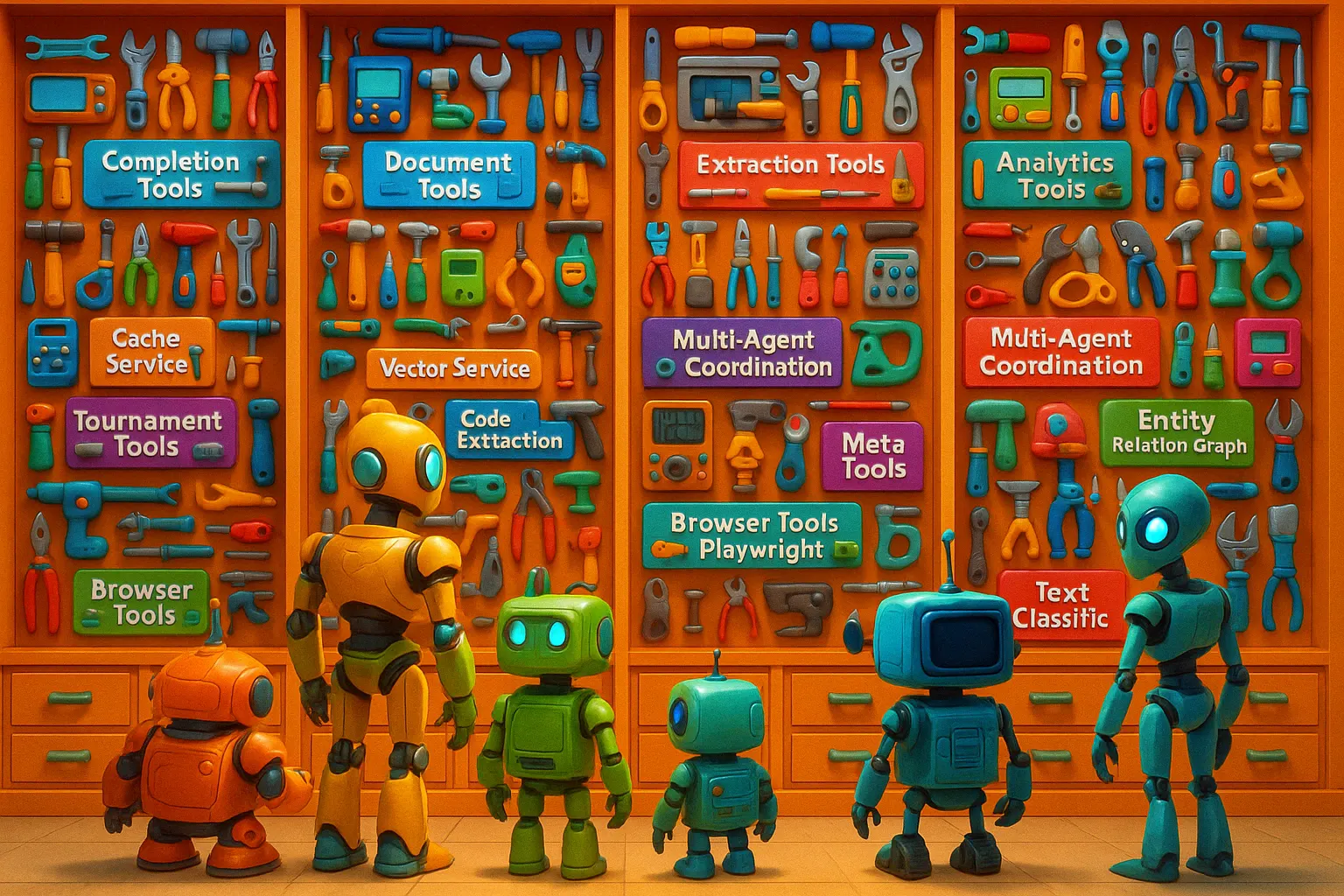
Начало работы • Ключевые возможности • Примеры использования • Архитектура
🤖 Что такое Ultimate MCP Server?
Ultimate MCP Server — это комплексная MCP-ориентированная система, выступающая в роли полноценной операционной системы для ИИ-агентов. Она предоставляет десятки мощных возможностей через протокол Model Context Protocol, позволяя продвинутым ИИ-агентам получать доступ к богатой экосистеме инструментов, когнитивных систем и специализированных сервисов.
Хотя она включает интеллектуальное делегирование задач от сложных моделей (например, Claude 3.7 Sonnet) к более экономичным (например, Gemini Flash 2.0 Lite), это лишь одна из граней её обширной функциональности. Сервер обеспечивает унифицированный доступ к нескольким провайдерам LLM, оптимизируя при этом стоимость, производительность и качество.
Система предлагает интегрированные когнитивные системы памяти, автоматизацию браузера, работу с Excel, взаимодействие с базами данных, обработку документов, утилиты командной строки, динамическую интеграцию API, возможности OCR, векторные операции, графы отношений сущностей, взаимодействие с SQL-базами данных, транскрипцию аудио и многое другое. Эти возможности превращают ИИ-агента из простого интерфейса для общения в мощную автономную систему, способную выполнять сложные многоэтапные операции в цифровых средах.

🎯 Видение: Полноценная операционная система для ИИ-агентов
По своей сути Ultimate MCP Server представляет собой фундаментальный сдвиг в том, как ИИ-агенты работают в цифровых средах. Он служит комплексной операционной системой для ИИ, предоставляя:
- 🧠 Единую когнитивную архитектуру, обеспечивающую постоянную память, рассуждения и контекстную осведомлённость
- ⚙️ Бесшовный доступ к десяткам специализированных инструментов, охватывающих веб-сёрфинг, обработку документов, анализ данных и многое другое
- 💻 Прямые системные возможности для операций с файловой системой, взаимодействия с базами данных и утилит командной строки
- 🔄 Динамические возможности рабочих процессов для сложной многоэтапной оркестрации и выполнения задач
- 🌐 Интеллектуальную интеграцию различных провайдеров LLM с оптимизацией стоимости, качества и производительности
- 🚀 Продвинутые векторные операции, графы знаний и генерацию с дополнением извлечением для расширения возможностей ИИ
Этот подход напоминает то, как сложные операционные системы предоставляют приложениям доступ к аппаратному обеспечению, сервисам и ресурсам — но разработан специально для расширения возможностей ИИ-агентов за пределы их собственных способностей.
🔌 MCP-ориентированная архитектура
Сервер полностью построен на базе Model Context Protocol (MCP), что делает его специально разработанным для работы с ИИ-агентами, такими как Claude. Вся функциональность предоставляется через стандартизированные MCP-инструменты, которые могут напрямую вызываться этими агентами, создавая бесшовный уровень интеграции между ИИ-агентами и комплексной экосистемой возможностей, сервисов и внешних систем.
🧬 Основные сценарии использования: Расширение ИИ-агентов и экосистема
Ultimate MCP Server превращает ИИ-агентов, таких как Claude 3.7 Sonnet, в автономные системы, способные выполнять сложные операции в цифровых средах:
                        interacts with
┌─────────────┐ ────────────────────────► ┌───────────────────┐         ┌──────────────┐
│ Claude 3.7  │                           │   Ultimate MCP     │ ───────►│ LLM Providers│
│   (Agent)   │ ◄──────────────────────── │     Server        │ ◄───────│ External     │
└─────────────┘      returns results      └───────────────────┘         │ Systems      │
                                                │                        └──────────────┘
                                                ▼
                      ┌─────────────────────────────────────────────┐
                      │ Cognitive Memory Systems                    │
                      │ Web & Data: Browser, DB, RAG, Vector Search │
                      │ Documents: Excel, OCR, PDF, Filesystem      │
                      │ Analysis: Entity Graphs, Classification     │
                      │ Integration: APIs, CLI, Audio, Multimedia   │
                      └─────────────────────────────────────────────┘
Пример рабочего процесса:
- ИИ-агент получает сложную задачу, требующую нескольких возможностей, выходящих за рамки его собственных способностей
- Агент использует Ultimate MCP Server для доступа к специализированным инструментам и сервисам по мере необходимости
- Агент может использовать систему когнитивной памяти для поддержания состояния и контекста между операциями
- Становятся возможными сложные задачи, такие как исследования, анализ данных, создание документов и обработка мультимедиа
- Агент может оркестрировать многоэтапные рабочие процессы, комбинируя различные инструменты в сложные последовательности
- Результаты возвращаются в стандартном формате MCP, позволяя агенту понимать и работать с ними
- Одним из важных преимуществ является оптимизация затрат за счёт делегирования соответствующих задач более эффективным моделям
Эта интеграция открывает трансформационные возможности, позволяющие ИИ-агентам автономно выполнять сложные проекты, разумно используя ресурсы — включая потенциальную экономию 70-90% на API-затратах за счёт применения специализированных инструментов и экономичных моделей там, где это уместно.
💡 Зачем использовать Ultimate MCP Server?
🧰 Комплексный набор инструментов для ИИ-агентов
Единый центр, предоставляющий продвинутым ИИ-агентам доступ к обширной экосистеме инструментов: - 🌐 Выполнение сложных задач веб-автоматизации (интеграция с Playwright). - 📊 Работа и анализ Excel-таблиц с глубокой интеграцией. - 🧠 Доступ к развитым системам когнитивной памяти для сохранения состояния агента. - 💾 Безопасное взаимодействие с файловой системой. - 🗄️ Работа с базами данных через SQL-операции. - 🖼️ Обработка документов с помощью OCR. - 🔍 Выполнение сложного векторного поиска и операций RAG. - 🏷️ Использование специализированных инструментов для обработки текста и классификации. - ⌨️ Применение командных утилит, таких как ripgrep, awk, sed, jq. - 🔌 Динамическая интеграция внешних REST API. - ✨ Использование мета-инструментов для самообнаружения, оптимизации и улучшения документации.
💵 Оптимизация затрат
API-затраты на продвинутые модели могут быть значительными. Ultimate MCP Server помогает снизить расходы за счёт: - 📉 Перенаправления подходящих задач на более дешёвые модели (например, $0.01/1K токенов против $0.15/1K токенов). - ⚡ Внедрения продвинутого кэширования (точное, семантическое, учитывающее задачи) для исключения избыточных API-вызовов. - 💰 Отслеживания и оптимизации затрат по разным провайдерам. - 🧭 Принятия решений о маршрутизации задач с учётом затрат. - 🛠️ Обработки рутинных операций с помощью специализированных не-LLM инструментов (файловая система, CLI-утилиты и т. д.).
🌐 Абстракция провайдеров
Избегайте привязки к одному провайдеру благодаря единому интерфейсу:
- 🔗 Стандартный API для OpenAI, Anthropic (Claude), Google (Gemini), xAI (Grok), DeepSeek, OpenRouter и локальных OpenAI-совместимых серверов (Ollama, llama.cpp, mistral.rs, vLLM, LM Studio).
- 🏠 Бесплатный локальный вывод: один настраиваемый провайдер local взаимодействует с любым OpenAI-совместимым локальным сервером через base_url и учитывается как $0 затрат, поэтому оптимизатор затрат предпочитает его для делегированных задач.
- ⚙️ Единообразная обработка параметров и форматирование ответов.
- 🔄 Возможность смены провайдеров без изменения кода приложения.
- 🛡️ Защита от простоев и ограничений, специфичных для провайдеров, благодаря механизмам резервного копирования.
📑 Комплексная обработка документов и данных
Эффективная обработка документов и данных: - ✂️ Разбиение документов на семантически значимые чанки. - 🚀 Параллельная обработка чанков на нескольких моделях. - 📊 Извлечение структурированных данных (JSON, таблицы, пары ключ-значение) из неструктурированного текста. - ✍️ Генерация резюме и выводов из больших текстов. - 🔁 Преобразование форматов (HTML в Markdown, документы в структурированные данные). - 👁️ Применение OCR к изображениям и PDF с возможностью улучшения с помощью LLM.
🚀 Ключевые возможности
🔌 Интеграция с MCP-протоколом
- Собственный MCP-сервер: Построен на базе Model Context Protocol для бесшовной интеграции с ИИ-агентами.
- Фреймворк MCP-инструментов: Вся функциональность предоставляется через стандартизированные MCP-инструменты с чёткими схемами.
- Композиция инструментов: Инструменты могут объединяться в рабочие процессы с использованием зависимостей.
- Обнаружение инструментов: Поддержка динамического перечисления и обнаружения возможностей для агентов.
🤖 Интеллектуальное делегирование задач
- Маршрутизация задач: Анализирует задачи и направляет их к подходящим моделям или специализированным инструментам.
- Выбор провайдера: Выбирает провайдера/модель на основе требований задачи, стоимости, качества или предпочтений по скорости.
- Баланс стоимости и производительности: Оптимизирует стратегию делегирования.
- Отслеживание делегирования: Мониторинг шаблонов делегирования, затрат и результатов (через Аналитику).
🌍 Интеграция с провайдерами
- Поддержка нескольких провайдеров: Первоклассная поддержка OpenAI, Anthropic, Google, DeepSeek, xAI (Grok), OpenRouter и локальных OpenAI-совместимых серверов (Ollama, llama.cpp, mistral.rs, vLLM, LM Studio) через единый настраиваемый провайдер
local. Расширяемая архитектура. - Бесплатный локальный вывод: Провайдер
localучитывается как $0 затрат, поэтому интеллектуальный слой делегирования/оптимизации затрат будет направлять задачи, чувствительные к стоимости (резюмирование, извлечение данных, простые вопросы-ответы, форматирование), на ваше собственное оборудование, если настроена подходящая локальная модель.
- Управление моделями: Поддержка различных возможностей моделей, контекстных окон и ценообразования. Автоматический выбор и механизмы отката.
💾 Продвинутое кэширование
- Многоуровневое кэширование: Точные совпадения, семантическое сходство и стратегии, учитывающие задачи.
- Постоянное кэширование: Сохранение на диск (например, DiskCache) с быстрым слоем доступа в памяти.
- Аналитика кэша: Отслеживание частоты попаданий в кэш, оценка экономии затрат.
📄 Инструменты для работы с документами
- Умное разбиение на части: Основанное на токенах, обнаружение семантических границ, методы структурного анализа. Настраиваемое перекрытие.
- Операции с документами: Резюмирование (абзацы, списки), извлечение сущностей, генерация вопросов, пакетная обработка.
📁 Безопасные операции с файловой системой
- Управление путями: Надёжная валидация, нормализация, проверка безопасности символических ссылок, настраиваемые разрешенные каталоги.
- Операции с файлами: Чтение/запись с обработкой кодировок, умное редактирование/замена текста, извлечение метаданных.
- Операции с каталогами: Создание, перечисление, визуализация дерева, безопасное перемещение/копирование.
- Возможности поиска: Рекурсивный поиск с сопоставлением шаблонов и фильтрацией.
- Фокус на безопасности: Разработано для предотвращения обхода каталогов и соблюдения границ.
✨ Автономный уточнитель документации инструментов
- Автоматическое улучшение: Систематический анализ, тестирование и уточнение документации инструментов MCP (docstrings, схемы, примеры).
- Симуляция агента: Выявление неясностей с точки зрения LLM-агента.
- Адаптивное тестирование: Генерация и выполнение тестовых случаев с учётом схем.
- Анализ сбоев: Использование ансамблей LLM для диагностики слабых мест в документации.
- Итеративное уточнение: Постоянное повышение качества документации.
- (Подробнее в специальном разделе)
🌐 Автоматизация браузера с помощью Playwright
- Полный контроль: Навигация, клики, ввод текста, извлечение данных, скриншоты, PDF, загрузка/выгрузка файлов, выполнение JS.
- Исследования: Автоматизация поиска по поисковым системам, извлечение структурированных данных, мониторинг сайтов.
- Синтез: Объединение результатов из нескольких веб-источников в отчёты.
🧠 Когнитивная система памяти и агента
- Иерархия памяти: Рабочая, эпизодическая, семантическая, процедурная.
- Управление знаниями: Хранение/извлечение воспоминаний с метаданными, связями, отслеживанием важности.
- Отслеживание рабочих процессов: Запись действий агента, цепочек рассуждений, артефактов, зависимостей.
- Умные операции: Консолидация памяти, генерация размышлений, оптимизация на основе релевантности, затухание.
📊 Автоматизация работы с Excel
- Прямое манипулирование: Создание, изменение, форматирование файлов Excel с помощью естественного языка или структурированных инструкций. Анализ формул.
- Обучение на шаблонах: Обучение на примерах, адаптация шаблонов, применение шаблонов форматирования.
- Генерация макросов VBA: Создание кода VBA на основе инструкций для сложной автоматизации.
🏗️ Извлечение структурированных данных
- Извлечение JSON: Извлечение структурированного JSON с валидацией схемы.
- Извлечение таблиц: Извлечение таблиц в нескольких форматах (JSON, CSV, Markdown).
- Извлечение пар "ключ-значение": Простое извлечение пар K/V.
- Семантический вывод схемы: Попытка генерации схем из текста.
⚔️ Режим турнира
- Соревнования моделей: Проведение прямых сравнений для задач генерации кода или текста.
- Многомодельная оценка: Сравнение результатов разных моделей/поставщиков одновременно.
- Метрики производительности: Оценка корректности, эффективности, стиля и т. д. Сохранение результатов.
🗄️ Взаимодействие с базами данных SQL
- Выполнение запросов: Запуск SQL-запросов к различным типам БД (SQLite, PostgreSQL и др. через SQLAlchemy).
- Анализ схем: Анализ схем, предложение оптимизаций (с использованием LLM).
- Исследование данных: Просмотр таблиц, визуализация содержимого.
- Генерация запросов: Генерация SQL из описаний на естественном языке.
🔗 Графы отношений сущностей
- Извлечение сущностей: Идентификация сущностей (люди, организации, локации и др.).
- Картирование отношений: Обнаружение и отображение связей между сущностями.
- Построение графов знаний: Создание постоянных графов (например, с использованием NetworkX).
- Запросы к графам: Извлечение инсайтов с помощью обхода графа или запросов на основе LLM.
🔎 Продвинутые векторные операции
- Семантический поиск: Поиск похожего контента с использованием векторных эмбеддингов.
- Интеграция с векторными хранилищами: Интерфейсы для работы с векторными базами данных или локальными хранилищами.
- Гибридный поиск: Сочетание ключевого и семантического поиска (например, через интеграцию с Marqo).
---
- Пакетная обработка: Эффективная генерация эмбеддингов и поиск по большим наборам данных.
📚 Генерация с дополнением контекстом (RAG)
- Контекстная генерация: Дополняет промпты релевантными извлечёнными документами/фрагментами.
- Повышение точности: Снижает галлюцинации, основывая ответы на предоставленном контексте.
- Интеграция рабочих процессов: Бесшовно сочетает извлечение (векторный/ключевой поиск) с генерацией. Настраиваемые стратегии.
🎙️ Распознавание аудио
- Преобразование речи в текст: Конвертация аудиофайлов (например, WAV, MP3) в текст с помощью моделей вроде Whisper.
- Разделение говорящих: Определение разных спикеров (если поддерживается моделью/библиотекой).
- Улучшение транскриптов: Очистка и форматирование транскриптов с помощью LLM.
- Поддержка нескольких языков: Обработка различных языков в зависимости от базовой модели транскрипции.
🏷️ Классификация текста
- Пользовательские классификаторы: Применение моделей классификации текста (возможно, дообученных или с использованием zero-shot LLM).
- Мультилейбл-классификация: Назначение нескольких категорий.
- Оценка уверенности: Предоставление вероятностей для классификаций.
- Пакетная обработка: Эффективная классификация больших наборов документов.
👁️ Инструменты OCR
- Извлечение из PDF/изображений: Использует Tesseract или другие OCR-движки с коррекцией и форматированием через LLM.
- Предобработка: Опции шумоподавления, пороговой обработки, выравнивания изображений.
- Анализ структуры: Извлечение метаданных и структуры PDF.
- Пакетная обработка: Параллельная обработка нескольких файлов.
- (Требует дополнительных зависимостей
ocr:uv pip install -e ".[ocr]")
📝 Инструменты для сравнения текста (redline)
- Генерация HTML-разметки изменений: Визуальные различия (вставки, удаления, перемещения) между текстом/HTML. Автономный HTML-вывод.
- Сравнение документов: Сравнение различных форматов с интуитивной подсветкой.
🔄 Конвертация HTML в Markdown
- Интеллектуальное преобразование: Определение типа контента, использование библиотек вроде
readability-lxml,trafilatura,markdownify. - Извлечение контента: Фильтрация шаблонного кода, сохранение структуры (таблицы, ссылки).
- Оптимизация Markdown: Очистка и нормализация вывода.
📈 Инструменты оптимизации рабочих процессов
- Оценка и сравнение затрат: Предварительная оценка стоимости выполнения, сравнение затрат на модели.
- Рекомендации по выбору модели: Рекомендации моделей на основе задачи, бюджета и требований к производительности.
- Движок выполнения рабочих процессов: Запуск многоэтапных конвейеров с зависимостями, параллельным выполнением и передачей переменных.
💻 Локальные инструменты обработки текста (интеграция с CLI)
- Мощь офлайн-режима: Безопасная обёртка и предоставление доступа к инструментам командной строки, таким как
ripgrep(быстрый поиск по регулярным выражениям),awk(обработка текста),sed(потоковый редактор),jq(обработка JSON) в качестве инструментов MCP. Локальная обработка текста без обращений к API.
⏱️ Бенчмаркинг производительности моделей
- Эмпирические измерения: Инструменты для измерения реальной скорости (токенов/сек), задержки у разных провайдеров/моделей.
- Профили производительности: Генерация сравнительных отчётов на основе реальных данных.
- Оптимизация на основе данных: Использование данных бенчмарков для информирования решений о маршрутизации.
📡 Несколько режимов транспорта
- Streamable-HTTP (рекомендуется): Современный HTTP-транспорт с потоковой передачей запросов/ответов, оптимальный для HTTP-клиентов MCP.
- Server-Sent Events (SSE): Устаревший HTTP-транспорт с использованием серверных событий для потоковой передачи в реальном времени.
- Стандартный ввод-вывод (stdio): Прямая связь с процессом для встраиваемых интеграций.
- Потоковая передача в реальном времени: Обновления по токенам для завершений LLM во всех HTTP-транспортах.
- Мониторинг прогресса: Отслеживание прогресса длительных задач (разбиение на части, пакетная обработка).
- Архитектура на основе событий: Подписка на конкретные события сервера.
✨ Многомодельный синтез
- Сравнительный анализ: Анализ выводов от нескольких моделей бок о бок.
- Синтез ответов: Объединение лучших элементов, генерация мета-ответов, создание консенсусных выводов.
- Коллаборативное рассуждение: Реализация рабочих процессов, где разные модели обрабатывают разные этапы.
🧩 Расширенная поддержка моделей
- Интеграция Grok: Нативная поддержка Grok от xAI.
- Поддержка DeepSeek: Оптимизированная работа с моделями DeepSeek.
- Интеграция OpenRouter: Доступ к широкому спектру моделей через API-ключ OpenRouter.
- Локальная / Самостоятельная интеграция: Единый настраиваемый провайдер
localдля любого локального сервера, совместимого с OpenAI — Ollama,llama-serverиз llama.cpp, mistral.rs, vLLM и LM Studio — достаточно указатьbase_url, и вы сможете запускать бесплатный ($0) инференс на своём оборудовании. - Интеграция с Gemini: Полноценная поддержка моделей Google Gemini.
- Интеграция с Anthropic: Полная поддержка моделей Claude, включая Claude 3.5 Sonnet и Haiku.
- Интеграция с OpenAI: Полная поддержка моделей GPT-3.5, GPT-4.0 и более новых.
🔧 Мета-инструменты для самооптимизации и динамической интеграции
- Поиск инструментов: Агенты могут запрашивать доступные инструменты, параметры и описания (
list_tools). - Рекомендации по использованию: Получение рекомендаций от ИИ по выбору и комбинированию инструментов для задач.
- Интеграция внешних API: Динамическая регистрация REST API через спецификации OpenAPI, что делает конечные точки доступными как вызываемые инструменты MCP (
register_api,call_dynamic_tool). - Генерация документации: Часть функции Autonomous Refiner.
📊 Аналитика и отчётность
- Отслеживание использования: Мониторинг токенов, затрат, запросов, показателей успеха/ошибок по провайдерам, моделям и инструментам.
- Мониторинг в реальном времени: Живая панель или поток статистики использования.
- Детализированная отчётность: Генерация исторических отчётов по затратам и использованию, выявление трендов, экспорт данных.
- Рекомендации по оптимизации: Помогает выявлять дорогостоящие операции или неэффективные паттерны.
📜 Шаблоны промптов и управление
- Шаблоны Jinja2: Создание переиспользуемых динамических промптов с переменными, условиями и включениями.
- Репозиторий промптов: Хранение, извлечение, категоризация и контроль версий промптов.
- Метаданные: Добавление описаний, информации об авторах и примеров использования к шаблонам.
- Оптимизация: Тестирование и сравнение производительности шаблонов и использования токенов.
🛡️ Обработка ошибок и устойчивость
- Интеллектуальные повторные попытки: Автоматические повторные попытки с экспоненциальным откатом при временных ошибках (ограничения по частоте, сетевые проблемы).
- Механизмы отката: Настраиваемые резервные провайдеры при сбое основного.
- Детализированная отчётность об ошибках: Захват полного контекста ошибок для отладки.
- Валидация входных данных: Предварительные проверки на распространённые проблемы (например, лимиты токенов, обязательные параметры).
⚙️ Системные функции
- Расширенное логирование: Цветные информативные логи в консоли через
Rich. - Мониторинг состояния: Конечная точка
/healthzдля проверки готовности. - Интерфейс командной строки: CLI
umcpдля управления и взаимодействия.
📦 Начало работы
🧪 Установка
# Install uv (fast Python package manager) if you don't have it:
curl -LsSf https://astral.sh/uv/install.sh | sh

# Clone the repository
git clone https://github.com/Dicklesworthstone/ultimate_mcp_server.git
cd ultimate_mcp_server

# Create a virtual environment and install dependencies using uv:
uv venv --python 3.13
source .venv/bin/activate
uv lock --upgrade
uv sync --all-extras
Примечание: Команда uv sync --all-extras устанавливает все дополнительные зависимости, определённые в проекте (например, OCR, автоматизация браузера, Excel). Если вам нужны только определённые дополнения, скорректируйте зависимости проекта и выполните uv sync без --all-extras.
⚙️ Конфигурация .env
Создайте файл с именем .env в корневом каталоге клонированного репозитория. Добавьте свои API-ключи и любые желаемые переопределения конфигурации:
# --- API Keys (at least one provider required) ---
OPENAI_API_KEY=your_openai_sk-...
ANTHROPIC_API_KEY=your_anthropic_sk-...
GEMINI_API_KEY=your_google_ai_studio_key... # For Google AI Studio (Gemini API)
# Or use GOOGLE_APPLICATION_CREDENTIALS=/path/to/your/service-account-key.json for Vertex AI
DEEPSEEK_API_KEY=your_deepseek_key...
OPENROUTER_API_KEY=your_openrouter_key...
GROK_API_KEY=your_grok_key... # For Grok via xAI API

# --- Local / Self-Hosted Providers (OpenAI-compatible, FREE inference) ---
# One generic provider covers Ollama, llama.cpp (llama-server), mistral.rs, vLLM, and LM Studio.
# No API key is required by most local servers; LOCAL_LLM_API_KEY is optional.
# LOCAL_LLM_BASE_URL=http://localhost:11434/v1   # Default (Ollama). Examples:
#   llama.cpp / mistral.rs / vLLM : http://localhost:8000/v1
#   LM Studio                     : http://localhost:1234/v1
# LOCAL_LLM_DEFAULT_MODEL=llama3.1:8b            # Model name as served by your local backend
# LOCAL_LLM_API_KEY=                             # Optional; most local servers ignore it
# LOCAL_LLM_REQUEST_TIMEOUT=30                   # Optional request timeout in seconds
# LOCAL_LLM_ENABLED=true                         # Optional; set false to disable the local provider

# --- Server Configuration (Defaults shown) ---
GATEWAY_SERVER_PORT=8013
GATEWAY_SERVER_HOST=127.0.0.1 # Change to 0.0.0.0 to listen on all interfaces (needed for Docker/external access)
# GATEWAY_API_PREFIX=/

# --- Logging Configuration (Defaults shown) ---
LOG_LEVEL=INFO # DEBUG, INFO, WARNING, ERROR, CRITICAL
USE_RICH_LOGGING=true # Set to false for plain text logs

# --- Cache Configuration (Defaults shown) ---
GATEWAY_CACHE_ENABLED=true
GATEWAY_CACHE_TTL=86400 # Default Time-To-Live in seconds (24 hours)
# GATEWAY_CACHE_TYPE=memory # Options might include 'memory', 'redis', 'diskcache' (check implementation)
# GATEWAY_CACHE_MAX_SIZE=1000 # Example: Max number of items for memory cache
# GATEWAY_CACHE_DIR=./.cache # Directory for disk cache storage

# --- Provider Timeouts & Retries (Defaults shown) ---
# GATEWAY_PROVIDER_TIMEOUT=120 # Default timeout in seconds for API calls
# GATEWAY_PROVIDER_MAX_RETRIES=3 # Default max retries on failure

# --- Provider-Specific Configuration ---
# GATEWAY_OPENAI_DEFAULT_MODEL=gpt-4.1-mini # Customize default model
# GATEWAY_ANTHROPIC_DEFAULT_MODEL=claude-3-5-sonnet-20241022 # Customize default model
# GATEWAY_GEMINI_DEFAULT_MODEL=gemini-2.0-pro # Customize default model

# --- Tool Specific Config (Examples) ---
# FILESYSTEM__ALLOWED_DIRECTORIES=["/path/to/safe/dir1","/path/to/safe/dir2"] # For Filesystem tools (JSON array)
# GATEWAY_AGENT_MEMORY_DB_PATH=unified_agent_memory.db # Path for agent memory database
# GATEWAY_PROMPT_TEMPLATES_DIR=./prompt_templates # Directory for prompt templates
▶️ Запуск
Убедитесь, что ваше виртуальное окружение активно (source .venv/bin/activate).
# Start the MCP server with all registered tools found
umcp run

# Start the server including only specific tools
umcp run --include-tools completion chunk_document read_file write_file

# Start the server excluding specific tools
umcp run --exclude-tools browser_init browser_navigate research_and_synthesize_report

# Start with Docker (ensure .env file exists in the project root or pass environment variables)
docker compose up --build # Add --build the first time or after changes
После запуска сервер обычно будет доступен по адресу http://localhost:8013 (или хосту/порту, настроенному в вашем .env или командной строке). Вы должны увидеть вывод логов, указывающий, что сервер запущен и какие инструменты зарегистрированы.
💻 Интерфейс командной строки (CLI)
Ultimate MCP Server предоставляет мощный интерфейс командной строки (CLI) через команду umcp, который позволяет управлять сервером, взаимодействовать с провайдерами LLM, тестировать функции и изучать примеры. В этом разделе подробно описаны все доступные команды и их параметры.
🌟 Глобальные параметры
Команда umcp поддерживает следующий глобальный параметр:
umcp --version # Display version information
🚀 Управление сервером
Запуск сервера
Команда run запускает Ultimate MCP Server с указанными параметрами:
# Basic server start with default settings from .env
umcp run

# Run on a specific host (-h) and port (-p)
umcp run -h 0.0.0.0 -p 9000

# Run with multiple worker processes (-w)
umcp run -w 4

# Enable debug logging (-d)
umcp run -d

# Use stdio transport (-t)
umcp run -t stdio

# Use streamable-http transport (recommended for HTTP clients)
umcp run -t shttp

# Run only with specific tools (no shortcut for --include-tools)
umcp run --include-tools completion chunk_document read_file write_file

# Run with all tools except certain ones (no shortcut for --exclude-tools)
umcp run --exclude-tools browser_init browser_navigate
Пример вывода:
┌─ Starting Ultimate MCP Server ───────────────────┐
│ Host: 0.0.0.0                                    │
│ Port: 9000                                       │
│ Workers: 4                                       │
│ Transport mode: streamable-http                  │
└────────────────────────────────────────────────┘

INFO:     Started server process [12345]
INFO:     Waiting for application startup.
INFO:     Application startup complete.
INFO:     Uvicorn running on http://0.0.0.0:9000 (Press CTRL+C to quit)
Доступные параметры:
- -h, --host: Хост или IP-адрес для привязки сервера (по умолчанию: из .env)
- -p, --port: Порт для прослушивания (по умолчанию: из .env)
- -w, --workers: Количество рабочих процессов (по умолчанию: из .env)
- -t, --transport-mode: Режим транспорта для связи с сервером ('shttp' для streamable-http, 'sse' или 'stdio', по умолчанию: shttp)
- -d, --debug: Включить отладочное логирование
- --include-tools: Список имён инструментов для включения (через запятую)
- --exclude-tools: Список имён инструментов для исключения (через запятую)
🔌 Управление провайдерами
Команда providers отображает информацию о настроенных провайдерах LLM:
# List all configured providers
umcp providers

# Check API keys (-c) for all configured providers
umcp providers -c

# List available models (no shortcut for --models)
umcp providers --models

# Check keys and list models
umcp providers -c --models
Пример вывода:
┌─ LLM Providers ──────────────────────────────────────────────────┐
│ Provider   Status   Default Model            API Key             │
├───────────────────────────────────────────────────────────────────┤
│ openai     ✓        gpt-4.1-mini            sk-...5vX [VALID]    │
│ anthropic  ✓        claude-3-5-sonnet-20241022 sk-...Hr [VALID]  │
│ gemini     ✓        gemini-2.0-pro          [VALID]              │
│ deepseek   ✗        deepseek-chat           [NOT CONFIGURED]     │
│ openrouter ✓        --                      [VALID]              │
│ grok       ✓        grok-1                  [VALID]              │
└───────────────────────────────────────────────────────────────────┘
С флагом --models:
OPENAI MODELS:
  - gpt-4.1-mini
  - gpt-4o
  - gpt-4-0125-preview
  - gpt-3.5-turbo

ANTHROPIC MODELS:
  - claude-3-5-sonnet-20241022
  - claude-3-5-haiku-20241022
  - claude-3-opus-20240229
  ...
Доступные опции:
- -c, --check: Проверка API-ключей для всех настроенных провайдеров
- --models: Список доступных моделей для каждого провайдера
Тестирование провайдера
Команда test позволяет протестировать конкретного провайдера:
# Test the default OpenAI model with a simple prompt
umcp test openai

# Test a specific model (--model) with a custom prompt (--prompt)
umcp test anthropic --model claude-3-5-haiku-20241022 --prompt "Write a short poem about coding."

# Test Gemini with a different prompt
umcp test gemini --prompt "What are three interesting AI research papers from 2024?"
Пример вывода:
Testing provider 'anthropic'...

Provider: anthropic
Model: claude-3-5-haiku-20241022
Prompt: Write a short poem about coding.

❯ Response:
Code flows like water,
Logic cascades through the mind—
Bugs bloom like flowers.

Tokens: 13 input, 19 output
Cost: $0.00006
Response time: 0.82s
Доступные опции:
- --model: Идентификатор модели для тестирования (по умолчанию — модель провайдера по умолчанию)
- --prompt: Текст промпта для отправки (по умолчанию: "Hello, world!")
⚡ Прямая генерация текста
Команда complete позволяет генерировать текст напрямую из командной строки:
# Generate text with default provider (OpenAI) using a prompt (--prompt)
umcp complete --prompt "Write a concise explanation of quantum computing."

# Specify a provider (--provider) and model (--model)
umcp complete --provider anthropic --model claude-3-5-sonnet-20241022 --prompt "What are the key differences between Rust and Go?"

# Use a system prompt (--system)
umcp complete --provider openai --model gpt-4o --system "You are an expert programmer..." --prompt "Explain dependency injection."

# Stream the response token by token (-s)
umcp complete --provider openai --prompt "Count from 1 to 10." -s

# Adjust temperature (--temperature) and token limit (--max-tokens)
umcp complete --provider gemini --temperature 1.2 --max-tokens 250 --prompt "Generate a creative sci-fi story opening."

# Read prompt from stdin (no --prompt needed)
echo "Tell me about space exploration." | umcp complete
Пример вывода:
Quantum computing uses quantum bits (qubits) that can exist in multiple states simultaneously, unlike classical bits (0 or 1). This quantum superposition, along with entanglement, allows quantum computers to process vast amounts of information in parallel, potentially solving certain complex problems exponentially faster than classical computers. Applications include cryptography, materials science, and optimization problems.

Tokens: 13 input, 72 output
Cost: $0.00006
Response time: 0.37s
Доступные опции:
- --provider: Провайдер для использования (по умолчанию: openai)
- --model: Идентификатор модели (по умолчанию — модель провайдера по умолчанию)
- --prompt: Текст промпта (читается из stdin, если не указан)
- --temperature: Температура выборки (0.0–2.0, по умолчанию: 0.7)
- --max-tokens: Максимальное количество токенов для генерации
- --system: Системный промпт для провайдеров, которые его поддерживают
- -s, --stream: Потоковая передача ответа по токенам
💾 Управление кэшем
Команда cache позволяет просматривать или очищать кэш запросов:
# Show cache status (default action)
umcp cache

# Explicitly show status (no shortcut for --status)
umcp cache --status

# Clear the cache (no shortcut for --clear, with confirmation prompt)
umcp cache --clear

# Show stats and clear the cache in one command
umcp cache --status --clear
Пример вывода:
Cache Status:
  Backend: memory
  Enabled: True
  Items: 127
  Hit rate: 73.2%
  Estimated savings: $1.47
Доступные опции:
- --status: Показать статус кэша (включено по умолчанию, если не указан другой флаг)
- --clear: Очистить кэш (будет запрошено подтверждение)
📊 Бенчмаркинг
Команда benchmark позволяет сравнивать производительность и стоимость между провайдерами:
# Run default benchmark (3 runs per provider)
umcp benchmark

# Benchmark only specific providers
umcp benchmark --providers openai,anthropic

# Benchmark with specific models
umcp benchmark --providers openai,anthropic --models gpt-4o,claude-3.5-sonnet

# Use a custom prompt and more runs (-r)
umcp benchmark --prompt "Explain the process of photosynthesis in detail." -r 5
Пример вывода:
┌─ Benchmark Results ───────────────────────────────────────────────────────┐
│ Provider    Model               Avg Time   Tokens    Cost      Tokens/sec │
├──────────────────────────────────────────────────────────────────────────┤
│ openai      gpt-4.1-mini        0.47s      76 / 213  $0.00023  454        │
│ anthropic   claude-3-5-haiku    0.52s      76 / 186  $0.00012  358        │
│ gemini      gemini-2.0-pro      0.64s      76 / 201  $0.00010  314        │
│ deepseek    deepseek-chat       0.71s      76 / 195  $0.00006  275        │
└──────────────────────────────────────────────────────────────────────────┘
Доступные опции:
- --providers: Список провайдеров для бенчмаркинга (по умолчанию: все настроенные)
- --models: Идентификаторы моделей для бенчмаркинга (по умолчанию — модель по умолчанию каждого провайдера)
- --prompt: Текст промпта для использования (по умолчанию: встроенный промпт для бенчмаркинга)
- -r, --runs: Количество запусков для каждого провайдера/модели (по умолчанию: 3)
🧰 Управление инструментами
Команда tools выводит список доступных инструментов, с возможностью фильтрации по категории:
# List all tools
umcp tools

# List tools in a specific category
umcp tools --category document

# Show related example scripts
umcp tools --examples
Пример вывода:
┌─ Ultimate MCP Server Tools ─────────────────────────────────────────┐
│ Category    Tool                           Example Script            │
├──────────────────────────────────────────────────────────────────────┤
│ completion  generate_completion            simple_completion_demo.py │
│ completion  stream_completion              simple_completion_demo.py │
│ completion  chat_completion                claude_integration_demo.py│
│ document    summarize_document             document_processing.py    │
│ document    chunk_document                 document_processing.py    │
│ extraction  extract_json                   advanced_extraction_demo.py│
│ filesystem  read_file                      filesystem_operations_demo.py│
└──────────────────────────────────────────────────────────────────────┘

Tip: Run examples using the command:
  umcp examples <example_name>
Доступные опции:
- --category: Фильтрация инструментов по категории
- --examples: Показать примеры скриптов вместе с инструментами
📚 Управление примерами
Команда examples позволяет выводить список и запускать примеры скриптов:
# List all example scripts (default action)
umcp examples

# Explicitly list example scripts (-l)
umcp examples -l

# Run a specific example
umcp examples rag_example.py

# Can also run by just the name without extension
umcp examples rag_example
Пример вывода при выводе списка:
┌─ Ultimate MCP Server Example Scripts ─────────────────────────────────┐
│ Category             Example Script                                   │
├────────────────────────────────────────────────────────────────────────┤
│ text-generation      simple_completion_demo.py                        │
│ text-generation      claude_integration_demo.py                       │
│ document-processing  document_processing.py                           │
│ search-and-retrieval rag_example.py                                   │
│ browser-automation   browser_automation_demo.py                       │
└────────────────────────────────────────────────────────────────────────┘

Run an example:
  umcp examples <example_name>
При запуске примера:
Running example: rag_example.py

Creating vector knowledge base 'demo_kb'...
Adding sample documents...
Retrieving context for query: "What are the benefits of clean energy?"
Generated response:
Based on the retrieved context, clean energy offers several benefits:
...
Доступные опции:
- -l, --list: Только вывести список примеров скриптов
- --category: Фильтрация примеров по категории
🔎 Получение справки
Для каждой команды доступна подробная справка:
# General help
umcp --help

# Help for a specific command
umcp run --help
umcp providers --help
umcp complete --help
Пример вывода:
Usage: umcp [OPTIONS] COMMAND [ARGS]...

  Ultimate MCP Server: Multi-provider LLM management server
  Unified CLI to run your server, manage providers, and more.

Options:
  --version, -v                   Show the application version and exit.
  --help                          Show this message and exit.

Commands:
  run          Run the Ultimate MCP Server
  providers    List Available Providers
  test         Test a Specific Provider
  complete     Generate Text Completion
  cache        Cache Management
  benchmark    Benchmark Providers
  tools        List Available Tools
  examples     Run or List Example Scripts
Справка по конкретной команде:
Usage: umcp run [OPTIONS]

  Run the Ultimate MCP Server

  Start the server with optional overrides.

  Examples:
    umcp run -h 0.0.0.0 -p 8000 -w 4 -t sse
    umcp run -d

Options:
  -h, --host TEXT                 Host or IP address to bind the server to.
                                  Defaults from config.
  -p, --port INTEGER              Port to listen on. Defaults from config.
  -w, --workers INTEGER           Number of worker processes to spawn.
                                  Defaults from config.
  -t, --transport-mode [shttp|sse|stdio]
                                  Transport mode for server communication (-t
                                  shortcut). Options: 'shttp' (streamable-http,
                                  recommended), 'sse', or 'stdio'.
  -d, --debug                     Enable debug logging for detailed output (-d
                                  shortcut).
  --include-tools TEXT            List of tool names to include when running
                                  the server.
  --exclude-tools TEXT            List of tool names to exclude when running
                                  the server.
  --help                          Show this message and exit.
🧪 Примеры использования
В этом разделе приведены примеры на Python, демонстрирующие, как клиент MCP (например, приложение, использующее mcp-client, или агент вроде Claude) взаимодействует с инструментами, предоставляемыми запущенным экземпляром Ultimate MCP Server.
Примечание: Эти примеры предполагают, что у вас установлен mcp-client (pip install mcp-client) и Ultimate MCP Server запущен на http://localhost:8013.
(Подробные блоки кода из оригинального ввода сохранены ниже для полноты)
Базовая генерация текста
import asyncio
from mcp.client import Client

async def basic_completion_example():
    client = Client("http://localhost:8013")
    response = await client.tools.completion(
        prompt="Write a short poem about a robot learning to dream.",
        provider="openai",
        model="gpt-4.1-mini",
        max_tokens=100,
        temperature=0.7
    )
    if response["success"]:
        print(f"Completion: {response['completion']}")
        print(f"Cost: ${response['cost']:.6f}")
    else:
        print(f"Error: {response['error']}")
    await client.close()

# if __name__ == "__main__": asyncio.run(basic_completion_example())
Claude использует Ultimate MCP Server для анализа документов (делегирование)
import asyncio
from mcp.client import Client

async def document_analysis_example():
    # Assume Claude identifies a large document needing processing
    client = Client("http://localhost:8013")
    document = "... large document content ..." * 100 # Placeholder for large content

    print("Delegating document chunking...")
    # Step 1: Claude delegates document chunking (often a local, non-LLM task on server)
    chunks_response = await client.tools.chunk_document(
        document=document,
        chunk_size=1000, # Target tokens per chunk
        overlap=100,     # Token overlap
        method="semantic" # Use semantic chunking if available
    )
    if not chunks_response["success"]:
        print(f"Chunking failed: {chunks_response['error']}")
        await client.close()
        return

    print(f"Document divided into {chunks_response['chunk_count']} chunks.")

    # Step 2: Claude delegates summarization of each chunk to a cheaper model
    summaries = []
    total_cost = 0.0
    print("Delegating chunk summarization to gemini-2.0-flash-lite...")
    for i, chunk in enumerate(chunks_response["chunks"]):
        # Use Gemini Flash (much cheaper than Claude or GPT-4o) via the server
        summary_response = await client.tools.summarize_document(
            document=chunk,
            provider="gemini", # Explicitly delegate to Gemini via server
            model="gemini-2.0-flash-lite",
            format="paragraph",
            max_length=150 # Request a concise summary
        )
        if summary_response["success"]:
            summaries.append(summary_response["summary"])
            cost = summary_response.get("cost", 0.0)
            total_cost += cost
            print(f"  Processed chunk {i+1}/{chunks_response['chunk_count']} summary. Cost: ${cost:.6f}")
        else:
            print(f"  Chunk {i+1} summarization failed: {summary_response['error']}")

    print("\nDelegating entity extraction to gpt-4.1-mini...")
    # Step 3: Claude delegates entity extraction for the whole document to another cheap model
    entities_response = await client.tools.extract_entities(
        document=document, # Process the original document
        entity_types=["person", "organization", "location", "date", "product"],
        provider="openai", # Delegate to OpenAI's cheaper model
        model="gpt-4.1-mini"
    )

    if entities_response["success"]:
        cost = entities_response.get("cost", 0.0)
        total_cost += cost
        print(f"Extracted entities. Cost: ${cost:.6f}")
        extracted_entities = entities_response['entities']
        # Claude would now process these summaries and entities using its advanced capabilities
        print(f"\nClaude can now use {len(summaries)} summaries and {len(extracted_entities)} entity groups.")
    else:
        print(f"Entity extraction failed: {entities_response['error']}")

    print(f"\nTotal estimated delegation cost for sub-tasks: ${total_cost:.6f}")

    # Claude might perform final synthesis using the collected results
    final_synthesis_prompt = f"""
Synthesize the key information from the following summaries and entities extracted from a large document.
Focus on the main topics, key people involved, and significant events mentioned.

Summaries:
{' '.join(summaries)}

Entities:
{extracted_entities}

Provide a concise final report.
"""
    # This final step would likely use Claude itself (not shown here)

    await client.close()

# if __name__ == "__main__": asyncio.run(document_analysis_example())
Автоматизация браузера для исследований
import asyncio
from mcp.client import Client

async def browser_research_example():
    client = Client("http://localhost:8013")
    print("Starting browser-based research task...")
    # This tool likely orchestrates multiple browser actions (search, navigate, scrape)
    # and uses an LLM (specified or default) for synthesis.
    result = await client.tools.research_and_synthesize_report(
        topic="Latest advances in AI-powered drug discovery using graph neural networks",
        instructions={
            "search_query": "graph neural networks drug discovery 2024 research",
            "search_engines": ["google", "duckduckgo"], # Use multiple search engines
            "urls_to_include": ["nature.com", "sciencemag.org", "arxiv.org", "pubmed.ncbi.nlm.nih.gov"], # Prioritize these domains
            "max_urls_to_process": 7, # Limit the number of pages to visit/scrape
            "min_content_length": 500, # Ignore pages with very little content
            "focus_areas": ["novel molecular structures", "binding affinity prediction", "clinical trial results"], # Guide the synthesis
            "report_format": "markdown", # Desired output format
            "report_length": "detailed", # comprehensive, detailed, summary
            "llm_model": "anthropic/claude-3-5-sonnet-20241022" # Specify LLM for synthesis
        }
    )

    if result["success"]:
        print("\nResearch report generated successfully!")
        print(f"Processed {len(result.get('extracted_data', []))} sources.")
        print(f"Total processing time: {result.get('processing_time', 'N/A'):.2f}s")
        print(f"Estimated cost: ${result.get('total_cost', 0.0):.6f}") # Includes LLM synthesis cost
        print("\n--- Research Report ---")
        print(result['report'])
        print("-----------------------")
    else:
        print(f"\nBrowser research failed: {result.get('error', 'Unknown error')}")
        if 'details' in result: print(f"Details: {result['details']}")

    await client.close()

# if __name__ == "__main__": asyncio.run(browser_research_example())
Использование когнитивной системы памяти
import asyncio
from mcp.client import Client
import uuid

async def cognitive_memory_example():
    client = Client("http://localhost:8013")
    # Generate a unique ID for this session/workflow if not provided
    workflow_id = str(uuid.uuid4())
    print(f"Using Workflow ID: {workflow_id}")

    print("\nCreating a workflow context...")
    # Create a workflow context to group related memories and actions
    workflow_response = await client.tools.create_workflow(
        workflow_id=workflow_id,
        title="Quantum Computing Investment Analysis",
        description="Analyzing the impact of quantum computing on financial markets.",
        goal="Identify potential investment opportunities or risks."
    )
    if not workflow_response["success"]: print(f"Error creating workflow: {workflow_response['error']}")

    print("\nRecording an agent action...")
    # Record the start of a research action
    action_response = await client.tools.record_action_start(
        workflow_id=workflow_id,
        action_type="research",
        title="Initial literature review on quantum algorithms in finance",
        reasoning="Need to understand the current state-of-the-art before assessing impact."
    )
    action_id = action_response.get("action_id") if action_response["success"] else None
    if not action_id: print(f"Error starting action: {action_response['error']}")

    print("\nStoring facts in semantic memory...")
    # Store some key facts discovered during research
    memory1 = await client.tools.store_memory(
        workflow_id=workflow_id,
        content="Shor's algorithm can break RSA encryption, posing a threat to current financial security.",
        memory_type="fact", memory_level="semantic", importance=9.0,
        tags=["quantum_algorithm", "cryptography", "risk", "shor"]
    )
    memory2 = await client.tools.store_memory(
        workflow_id=workflow_id,
        content="Quantum annealing (e.g., D-Wave) shows promise for portfolio optimization problems.",
        memory_type="fact", memory_level="semantic", importance=7.5,
        tags=["quantum_computing", "finance", "optimization", "annealing"]
    )
    if memory1["success"]: print(f"Stored memory ID: {memory1['memory_id']}")
    if memory2["success"]: print(f"Stored memory ID: {memory2['memory_id']}")

    print("\nStoring an observation (episodic memory)...")
    # Store an observation from a specific event/document
    obs_memory = await client.tools.store_memory(
        workflow_id=workflow_id,
        content="Read Nature article (doi:...) suggesting experimental quantum advantage in a specific financial modeling task.",
        memory_type="observation", memory_level="episodic", importance=8.0,
        source="Nature Article XYZ", timestamp="2024-07-20T10:00:00Z", # Example timestamp
        tags=["research_finding", "publication", "finance_modeling"]
    )
    if obs_memory["success"]: print(f"Stored episodic memory ID: {obs_memory['memory_id']}")

    print("\nSearching for relevant memories...")
    # Search for memories related to financial risks
    search_results = await client.tools.hybrid_search_memories(
        workflow_id=workflow_id,
        query="What are the financial risks associated with quantum computing?",
        top_k=5, memory_type="fact", # Search for facts first
        semantic_weight=0.7, keyword_weight=0.3 # Example weighting for hybrid search
    )
    if search_results["success"]:
        print(f"Found {len(search_results['results'])} relevant memories:")
        for res in search_results["results"]:
            print(f"  - Score: {res['score']:.4f}, ID: {res['memory_id']}, Content: {res['content'][:80]}...")
    else:
        print(f"Memory search failed: {search_results['error']}")

    print("\nGenerating a reflection based on stored memories...")
    # Generate insights or reflections based on the accumulated knowledge in the workflow
    reflection_response = await client.tools.generate_reflection(
        workflow_id=workflow_id,
        reflection_type="summary_and_next_steps", # e.g., insights, risks, opportunities
        context_query="Summarize the key findings about quantum finance impact and suggest next research actions."
    )
    if reflection_response["success"]:
        print("Generated Reflection:")
        print(reflection_response["reflection"])
    else:
        print(f"Reflection generation failed: {reflection_response['error']}")

    # Mark the action as completed (assuming research phase is done)
    if action_id:
        print("\nCompleting the research action...")
        await client.tools.record_action_end(
            workflow_id=workflow_id, action_id=action_id, status="completed",
            outcome="Gathered initial understanding of quantum algorithms in finance and associated risks."
        )

    await client.close()

# if __name__ == "__main__": asyncio.run(cognitive_memory_example())
Автоматизация работы с Excel
import asyncio
from mcp.client import Client
import os

async def excel_automation_example():
    client = Client("http://localhost:8013")
    output_dir = "excel_outputs"
    os.makedirs(output_dir, exist_ok=True)
    output_path = os.path.join(output_dir, "financial_model.xlsx")

    print(f"Requesting creation of Excel financial model at {output_path}...")
    # Example: Create a financial model using natural language instructions
    create_result = await client.tools.excel_execute(
        instruction="Create a simple 3-year financial projection.\n"
                   "Sheet name: 'Projections'.\n"
                   "Columns: Year 1, Year 2, Year 3.\n"
                   "Rows: Revenue, COGS, Gross Profit, Operating Expenses, Net Income.\n"
                   "Data: Start Revenue at $100,000, grows 20% annually.\n"
                   "COGS is 40% of Revenue.\n"
                   "Operating Expenses start at $30,000, grow 10% annually.\n"
                   "Calculate Gross Profit (Revenue - COGS) and Net Income (Gross Profit - OpEx).\n"
                   "Format currency as $#,##0. Apply bold headers and add a light blue fill to the header row.",
        file_path=output_path, # Server needs write access to this path/directory if relative
        operation_type="create", # create, modify, analyze, format
        # sheet_name="Projections", # Can specify sheet if modifying
        # cell_range="A1:D6", # Can specify range
        show_excel=False # Run Excel in the background (if applicable on the server)
    )

    if create_result["success"]:
        print(f"Excel creation successful: {create_result['message']}")
        print(f"File saved at: {create_result.get('output_file_path', output_path)}") # Confirm output path

        # Example: Modify the created file - add a chart
        print("\nRequesting modification: Add a Revenue chart...")
        modify_result = await client.tools.excel_execute(
            instruction="Add a column chart showing Revenue for Year 1, Year 2, Year 3. "
                       "Place it below the table. Title the chart 'Revenue Projection'.",
            file_path=output_path, # Use the previously created file
            operation_type="modify",
            sheet_name="Projections" # Specify the sheet to modify
        )
        if modify_result["success"]:
             print(f"Excel modification successful: {modify_result['message']}")
             print(f"File updated at: {modify_result.get('output_file_path', output_path)}")
        else:
             print(f"Excel modification failed: {modify_result['error']}")

    else:
        print(f"Excel creation failed: {create_result['error']}")
        if 'details' in create_result: print(f"Details: {create_result['details']}")

    # Example: Analyze formulas (if the tool supports it)
    # analysis_result = await client.tools.excel_analyze_formulas(...)

    await client.close()

# if __name__ == "__main__": asyncio.run(excel_automation_example())
Сравнение нескольких провайдеров
import asyncio
from mcp.client import Client

async def multi_provider_completion_example():
    client = Client("http://localhost:8013")
    prompt = "Explain the concept of 'Chain of Thought' prompting for Large Language Models."

    print(f"Requesting completions for prompt: '{prompt}' from multiple providers...")
    # Request the same prompt from different models/providers
    multi_response = await client.tools.multi_completion(
        prompt=prompt,
        providers=[
            {"provider": "openai", "model": "gpt-4.1-mini", "temperature": 0.5},
            {"provider": "anthropic", "model": "claude-3-5-sonnet-20241022", "temperature": 0.5},
            {"provider": "gemini", "model": "gemini-2.0-pro", "temperature": 0.5},
            # {"provider": "deepseek", "model": "deepseek-chat", "temperature": 0.5}, # Add others if configured
        ],
        # Common parameters applied to all if not specified per provider
        max_tokens=300
    )

    if multi_response["success"]:
        print("\n--- Multi-completion Results ---")
        total_cost = multi_response.get("total_cost", 0.0)
        print(f"Total Estimated Cost: ${total_cost:.6f}\n")

        for provider_key, result in multi_response["results"].items():
            print(f"--- Provider: {provider_key} ---")
            if result["success"]:
                print(f"  Model: {result.get('model', 'N/A')}")
                print(f"  Cost: ${result.get('cost', 0.0):.6f}")
                print(f"  Tokens: Input={result.get('input_tokens', 'N/A')}, Output={result.get('output_tokens', 'N/A')}")
                print(f"  Completion:\n{result['completion']}\n")
            else:
                print(f"  Error: {result['error']}\n")
        print("------------------------------")
        # An agent could now analyze these responses for consistency, detail, accuracy etc.
    else:
        print(f"\nMulti-completion request failed: {multi_response['error']}")

    await client.close()

# if __name__ == "__main__": asyncio.run(multi_provider_completion_example())
Выполнение рабочих процессов с оптимизацией стоимости
import asyncio
from mcp.client import Client

async def optimized_workflow_example():
    client = Client("http://localhost:8013")
    # Example document to process through the workflow
    document_content = """
    Project Alpha Report - Q3 2024
    Lead: Dr. Evelyn Reed (e.reed@example.com)
    Status: On Track
    Budget: $50,000 remaining. Spent $25,000 this quarter.
    Key Findings: Successful prototype development (v0.8). User testing feedback positive.
    Next Steps: Finalize documentation, prepare for Q4 deployment. Target date: 2024-11-15.
    Risks: Potential delay due to supplier issues for component X. Mitigation plan in place.
    """

    print("Defining a multi-stage workflow...")
    # Define a workflow with stages, dependencies, and provider preferences
    # Use ${stage_id.output_key} to pass outputs between stages
    workflow_definition = [
        {
            "stage_id": "summarize_report",
            "tool_name": "summarize_document",
            "params": {
                "document": document_content,
                "format": "bullet_points",
                "max_length": 100,
                # Let the server choose a cost-effective model for summarization
                "provider_preference": "cost", # 'cost', 'quality', 'speed', or specific like 'openai/gpt-4.1-mini'
            }
            # No 'depends_on', runs first
            # Default output key is 'summary' for this tool, access via ${summarize_report.summary}
        },
        {
            "stage_id": "extract_key_info",
            "tool_name": "extract_json", # Use JSON extraction for structured data
            "params": {
                "document": document_content,
                "json_schema": {
                    "type": "object",
                    "properties": {
                        "project_lead": {"type": "string"},
                        "lead_email": {"type": "string", "format": "email"},
                        "status": {"type": "string"},
                        "budget_remaining": {"type": "string"},
                        "next_milestone_date": {"type": "string", "format": "date"}
                    },
                    "required": ["project_lead", "status", "next_milestone_date"]
                },
                # Prefer a model known for good structured data extraction, balancing cost
                "provider_preference": "quality", # Prioritize quality for extraction
                "preferred_models": ["openai/gpt-4o", "anthropic/claude-3-5-sonnet-20241022"] # Suggest specific models
            }
        },
        {
            "stage_id": "generate_follow_up_questions",
            "tool_name": "generate_qa", # Assuming a tool that generates questions
            "depends_on": ["summarize_report"], # Needs the summary first
            "params": {
                # Use the summary from the first stage as input
                "document": "${summarize_report.summary}",
                "num_questions": 3,
                "provider_preference": "speed" # Use a fast model for question generation
            }
            # Default output key 'qa_pairs', access via ${generate_follow_up_questions.qa_pairs}
        }
    ]

    print("Executing the optimized workflow...")
    # Execute the workflow - the server handles dependencies and model selection
    results = await client.tools.execute_optimized_workflow(
        workflow=workflow_definition
        # Can also pass initial documents if workflow steps reference 'original_document'
        # documents = {"report.txt": document_content}
    )

    if results["success"]:
        print("\nWorkflow executed successfully!")
        print(f"  Total processing time: {results.get('processing_time', 'N/A'):.2f}s")
        print(f"  Total estimated cost: ${results.get('total_cost', 0.0):.6f}\n")

        print("--- Stage Outputs ---")
        for stage_id, output in results.get("stage_outputs", {}).items():
            print(f"Stage: {stage_id}")
            if output["success"]:
                print(f"  Provider/Model Used: {output.get('provider', 'N/A')}/{output.get('model', 'N/A')}")
                print(f"  Cost: ${output.get('cost', 0.0):.6f}")
                print(f"  Output: {output.get('result', 'N/A')}") # Access the primary result
                # You might access specific keys like output.get('result', {}).get('summary') etc.
            else:
                print(f"  Error: {output.get('error', 'Unknown error')}")
            print("-" * 20)

    else:
        print(f"\nWorkflow execution failed: {results.get('error', 'Unknown error')}")
        if 'details' in results: print(f"Details: {results['details']}")

    await client.close()

# if __name__ == "__main__": asyncio.run(optimized_workflow_example())
Пример графа отношений сущностей
import asyncio
from mcp.client import Client
# import networkx as nx # To process the graph data if needed
# import matplotlib.pyplot as plt # To visualize

async def entity_graph_example():
    client = Client("http://localhost:8013")
    document_text = """
    Meta Platforms, Inc., led by CEO Mark Zuckerberg, announced a partnership with IBM
    on developing new AI hardware accelerators. The collaboration aims to challenge Nvidia's dominance.
    IBM, headquartered in Armonk, New York, brings its deep expertise in semiconductor design.
    The project, codenamed 'Synergy', is expected to yield results by late 2025.
    """

    print("Extracting entity relationships from text...")
    # Request extraction of entities and their relationships
    entity_graph_response = await client.tools.extract_entity_relations(
        document=document_text,
        entity_types=["organization", "person", "location", "date", "project"], # Specify desired entity types
        relationship_types=["led_by", "partnership_with", "aims_to_challenge", "headquartered_in", "expected_by"], # Specify relationship types
        # Optional parameters:
        # provider_preference="quality", # Choose model strategy
        # llm_model="anthropic/claude-3-5-sonnet-20241022", # Suggest a specific model
        include_visualization=False # Set True to request image data if tool supports it
    )

    if entity_graph_response["success"]:
        print("Entity relationship extraction successful.")
        print(f"Estimated Cost: ${entity_graph_response.get('cost', 0.0):.6f}")

        # The graph data might be in various formats (e.g., node-link list, adjacency list)
        graph_data = entity_graph_response.get("graph_data")
        print("\n--- Graph Data (Nodes & Edges) ---")
        print(graph_data)
        print("------------------------------------")

        # Example: Query the extracted graph using another tool or LLM call
        # (Assuming a separate query tool or using a general completion tool)
        print("\nQuerying the extracted graph (example)...")
        query_prompt = f"""
Based on the following graph data representing relationships extracted from a text:
{graph_data}

Answer the question: Who is the CEO of Meta Platforms, Inc.?
"""
        query_response = await client.tools.completion(
             prompt=query_prompt, provider="openai", model="gpt-4.1-mini", max_tokens=50
        )
        if query_response["success"]:
             print(f"Graph Query Answer: {query_response['completion']}")
        else:
             print(f"Graph query failed: {query_response['error']}")


    else:
        print(f"Entity relationship extraction failed: {entity_graph_response.get('error', 'Unknown error')}")

    await client.close()

# if __name__ == "__main__": asyncio.run(entity_graph_example())
Разбиение документов на части
import asyncio
from mcp.client import Client

async def document_chunking_example():
    client = Client("http://localhost:8013")
    large_document = """
    This is the first paragraph of a potentially very long document. It discusses various concepts.
    The second paragraph continues the discussion, adding more details and nuances. Proper chunking
    is crucial for processing large texts with Large Language Models, especially those with limited
    context windows. Different strategies exist, such as fixed token size, sentence splitting,
    or more advanced semantic chunking that tries to keep related ideas together. Overlap between
    chunks helps maintain context across boundaries. This paragraph is intentionally made longer
    to demonstrate how chunking might split it. It keeps going and going, describing the benefits
    of effective text splitting for downstream tasks like summarization, question answering, and
    retrieval-augmented generation (RAG). The goal is to create manageable pieces of text that
    still retain coherence. Semantic chunking often uses embedding models to find natural breakpoints
    in the text's meaning, potentially leading to better results than simple fixed-size chunks.
    The final sentence of this example paragraph.
    """ * 5 # Make it a bit longer for demonstration

    print("Requesting document chunking...")
    # Request chunking using a specific method and size
    chunking_response = await client.tools.chunk_document(
        document=large_document,
        chunk_size=100,     # Target size in tokens (approximate)
        overlap=20,         # Token overlap between consecutive chunks
        method="semantic"   # Options: "token", "sentence", "semantic", "structural" (if available)
    )

    if chunking_response["success"]:
        print(f"Document successfully divided into {chunking_response['chunk_count']} chunks.")
        print(f"Method Used: {chunking_response.get('method_used', 'N/A')}") # Confirm method if returned

        print("\n--- Example Chunks ---")
        for i, chunk in enumerate(chunking_response['chunks'][:3]): # Show first 3 chunks
            print(f"Chunk {i+1} (Length: {len(chunk)} chars):")
            print(f"'{chunk}'\n")
        if chunking_response['chunk_count'] > 3: print("...")
        print("----------------------")

        # These chunks can now be passed individually to other tools (e.g., summarize_document)
    else:
        print(f"Document chunking failed: {chunking_response['error']}")

    await client.close()

# if __name__ == "__main__": asyncio.run(document_chunking_example())
Генерация текста с использованием нескольких провайдеров (дубликат предыдущего примера, сохранён для структуры)
import asyncio
from mcp.client import Client

async def multi_provider_completion_example():
    client = Client("http://localhost:8013")
    prompt = "What are the main benefits of using the Model Context Protocol (MCP)?"

    print(f"Requesting completions for prompt: '{prompt}' from multiple providers...")
    multi_response = await client.tools.multi_completion(
        prompt=prompt,
        providers=[
            {"provider": "openai", "model": "gpt-4.1-mini"},
            {"provider": "anthropic", "model": "claude-3-5-haiku-20241022"},
            {"provider": "gemini", "model": "gemini-2.0-flash-lite"}
            # Add more configured providers as needed
        ],
        temperature=0.5,
        max_tokens=250
    )

    if multi_response["success"]:
        print("\n--- Multi-completion Results ---")
        total_cost = multi_response.get("total_cost", 0.0)
        print(f"Total Estimated Cost: ${total_cost:.6f}\n")
        for provider_key, result in multi_response["results"].items():
            print(f"--- Provider: {provider_key} ---")
            if result["success"]:
                print(f"  Model: {result.get('model', 'N/A')}")
                print(f"  Cost: ${result.get('cost', 0.0):.6f}")
                print(f"  Completion:\n{result['completion']}\n")
            else:
                print(f"  Error: {result['error']}\n")
        print("------------------------------")
    else:
        print(f"\nMulti-completion request failed: {multi_response['error']}")

    await client.close()

# if __name__ == "__main__": asyncio.run(multi_provider_completion_example())
Извлечение структурированных данных (JSON)
import asyncio
from mcp.client import Client
import json

async def json_extraction_example():
    client = Client("http://localhost:8013")
    text_with_data = """
    Meeting Minutes - Project Phoenix - 2024-07-21

    Attendees: Alice (Lead), Bob (Dev), Charlie (QA)
    Date: July 21, 2024
    Project ID: PX-001

    Discussion Points:
    - Reviewed user feedback from v1.1 testing. Mostly positive.
    - Identified performance bottleneck in data processing module. Bob to investigate. Assigned High priority.
    - QA cycle for v1.2 planned to start next Monday (2024-07-29). Charlie confirmed readiness.

    Action Items:
    1. Bob: Investigate performance issue. Due: 2024-07-26. Priority: High. Status: Open.
    2. Alice: Prepare v1.2 release notes. Due: 2024-07-28. Priority: Medium. Status: Open.
    """

    # Define the desired JSON structure (schema)
    desired_schema = {
        "type": "object",
        "properties": {
            "project_name": {"type": "string", "description": "Name of the project"},
            "meeting_date": {"type": "string", "format": "date", "description": "Date of the meeting"},
            "attendees": {"type": "array", "items": {"type": "string"}, "description": "List of attendee names"},
            "action_items": {
                "type": "array",
                "items": {
                    "type": "object",
                    "properties": {
                        "task": {"type": "string"},
                        "assigned_to": {"type": "string"},
                        "due_date": {"type": "string", "format": "date"},
                        "priority": {"type": "string", "enum": ["Low", "Medium", "High"]},
                        "status": {"type": "string", "enum": ["Open", "In Progress", "Done"]}
                    },
                    "required": ["task", "assigned_to", "due_date", "priority", "status"]
                }
            }
        },
        "required": ["project_name", "meeting_date", "attendees", "action_items"]
    }

    print("Requesting JSON extraction based on schema...")
    # Request extraction using a model capable of following JSON schema instructions
    json_response = await client.tools.extract_json(
        document=text_with_data,
        json_schema=desired_schema,
        provider="openai", # OpenAI models are generally good at this
        model="gpt-4o", # Use a capable model like GPT-4o or Claude 3.5 Sonnet
        # provider_preference="quality" # Could also use preference
    )

    if json_response["success"]:
        print("JSON extraction successful.")
        print(f"Estimated Cost: ${json_response.get('cost', 0.0):.6f}")

        # The extracted data should conform to the schema
        extracted_json_data = json_response.get('json_data')
        print("\n--- Extracted JSON Data ---")
        # Pretty print the JSON
        print(json.dumps(extracted_json_data, indent=2))
        print("---------------------------")

        # Optionally, validate the output against the schema client-side (requires jsonschema library)
        # try:
        #     from jsonschema import validate
        #     validate(instance=extracted_json_data, schema=desired_schema)
        #     print("\nClient-side validation successful: Output matches schema.")
        # except ImportError:
        #     print("\n(Install jsonschema to perform client-side validation)")
        # except Exception as e:
        #     print(f"\nClient-side validation failed: {e}")

    else:
        print(f"JSON Extraction Error: {json_response.get('error', 'Unknown error')}")
        if 'details' in json_response: print(f"Details: {json_response['details']}")

    await client.close()

# if __name__ == "__main__": asyncio.run(json_extraction_example())
Запрос с использованием Retrieval-Augmented Generation (RAG)
import asyncio
from mcp.client import Client

async def rag_query_example():
    # This example assumes the Ultimate MCP Server has been configured with a RAG pipeline,
    # including a vector store/index containing relevant documents.
    client = Client("http://localhost:8013")
    query = "What are the latest treatment options for mitigating Alzheimer's disease according to recent studies?"

    print(f"Performing RAG query: '{query}'...")
    # Call the RAG tool, which handles retrieval and generation
    rag_response = await client.tools.rag_query( # Assuming the tool name is 'rag_query'
        query=query,
        # Optional parameters to control the RAG process:
        index_name="medical_research_papers", # Specify the index/collection to search
        top_k=3, # Retrieve top 3 most relevant documents/chunks
        # filter={"year": {"$gte": 2023}}, # Example filter (syntax depends on vector store)
        # generation_model={"provider": "anthropic", "model": "claude-3-5-sonnet-20241022"}, # Specify generation model
        # instruction_prompt="Based on the provided context, answer the user's query concisely." # Customize generation prompt
    )

    if rag_response["success"]:
        print("\nRAG query successful.")
        print(f"Estimated Cost: ${rag_response.get('cost', 0.0):.6f}") # Includes retrieval + generation cost

        print("\n--- Generated Answer ---")
        print(rag_response.get('answer', 'No answer generated.'))
        print("------------------------")

        # The response might also include details about the retrieved sources
        retrieved_sources = rag_response.get('sources', [])
        if retrieved_sources:
            print("\n--- Retrieved Sources ---")
            for i, source in enumerate(retrieved_sources):
                print(f"Source {i+1}:")
                print(f"  ID: {source.get('id', 'N/A')}")
                print(f"  Score: {source.get('score', 'N/A'):.4f}")
                # Depending on RAG setup, might include metadata or text snippet
                print(f"  Content Snippet: {source.get('text', '')[:150]}...")
                print("-" * 15)
            print("-----------------------")
        else:
            print("\nNo sources information provided in the response.")

    else:
        print(f"\nRAG Query Error: {rag_response.get('error', 'Unknown error')}")
        if 'details' in rag_response: print(f"Details: {rag_response['details']}")

    await client.close()

# if __name__ == "__main__": asyncio.run(rag_query_example())
Комбинированный поиск (по ключевым словам + семантический)
import asyncio
from mcp.client import Client

async def fused_search_example():
    # This example assumes the server is configured with a hybrid search provider like Marqo.
    client = Client("http://localhost:8013")
    query = "impact of AI on software development productivity and code quality"

    print(f"Performing fused search for: '{query}'...")
    # Call the fused search tool
    fused_search_response = await client.tools.fused_search( # Assuming tool name is 'fused_search'
        query=query,
        # --- Parameters specific to the hybrid search backend (e.g., Marqo) ---
        index_name="tech_articles_index", # Specify the target index
        searchable_attributes=["title", "content"], # Fields to search within
        limit=5, # Number of results to return
        # Tunable weights for keyword vs. semantic relevance (example)
        hybrid_factors={"keyword_weight": 0.4, "semantic_weight": 0.6},
        # Optional filter string (syntax depends on backend)
        filter_string="publication_year >= 2023 AND source_type='journal'"
        # --------------------------------------------------------------------
    )

    if fused_search_response["success"]:
        print("\nFused search successful.")
        results = fused_search_response.get("results", [])
        print(f"Found {len(results)} hits.")

        if results:
            print("\n--- Search Results ---")
            for i, hit in enumerate(results):
                print(f"Result {i+1}:")
                # Fields depend on Marqo index structure and what's returned
                print(f"  ID: {hit.get('_id', 'N/A')}")
                print(f"  Score: {hit.get('_score', 'N/A'):.4f}") # Combined score
                print(f"  Title: {hit.get('title', 'N/A')}")
                print(f"  Content Snippet: {hit.get('content', '')[:150]}...")
                # Print highlight info if available
                highlights = hit.get('_highlights', {})
                if highlights: print(f"  Highlights: {highlights}")
                print("-" * 15)
            print("--------------------")
        else:
            print("No results found matching the criteria.")

    else:
        print(f"\nFused Search Error: {fused_search_response.get('error', 'Unknown error')}")
        if 'details' in fused_search_response: print(f"Details: {fused_search_response['details']}")

    await client.close()

# if __name__ == "__main__": asyncio.run(fused_search_example())
Локальная обработка текста
import asyncio
from mcp.client import Client

async def local_text_processing_example():
    client = Client("http://localhost:8013")
    # Example assumes a tool named 'process_local_text' exists on the server
    # that bundles various non-LLM text operations.
    raw_text = "  This text has   EXTRA whitespace,\n\nmultiple newlines, \t tabs, and needs Case Normalization.  "

    print("Requesting local text processing operations...")
    local_process_response = await client.tools.process_local_text(
        text=raw_text,
        operations=[
            {"action": "trim_whitespace"},       # Remove leading/trailing whitespace
            {"action": "normalize_whitespace"},  # Collapse multiple spaces/tabs to single space
            {"action": "remove_blank_lines"},    # Remove empty lines
            {"action": "lowercase"}              # Convert to lowercase
            # Other potential actions: uppercase, remove_punctuation, normalize_newlines, etc.
        ]
    )

    if local_process_response["success"]:
        print("\nLocal text processing successful.")
        print(f"Original Text:\n'{raw_text}'")
        print(f"\nProcessed Text:\n'{local_process_response['processed_text']}'")
        # Note: This operation should ideally have zero LLM cost.
        print(f"Cost: ${local_process_response.get('cost', 0.0):.6f}")
    else:
        print(f"\nLocal Text Processing Error: {local_process_response['error']}")

    await client.close()

# if __name__ == "__main__": asyncio.run(local_text_processing_example())
Пример автоматизации браузера: начало работы и базовое взаимодействие
import asyncio
from mcp.client import Client

async def browser_basic_interaction_example():
    # This example shows fundamental browser actions controlled by an agent
    client = Client("http://localhost:8013")
    print("--- Browser Automation: Basic Interaction ---")

    # 1. Initialize the browser (creates a browser instance on the server)
    print("\nInitializing browser (headless)...")
    # `headless=True` runs without a visible GUI window (common for automation)
    init_response = await client.tools.browser_init(headless=True, browser_type="chromium")
    if not init_response["success"]:
        print(f"Browser initialization failed: {init_response.get('error', 'Unknown error')}")
        await client.close()
        return
    print("Browser initialized successfully.")
    # Might return session ID if needed for subsequent calls, depends on tool design

    # 2. Navigate to a page
    target_url = "https://example.com/"
    print(f"\nNavigating to {target_url}...")
    # `wait_until` controls when navigation is considered complete
    nav_response = await client.tools.browser_navigate(
        url=target_url,
        wait_until="domcontentloaded" # Options: load, domcontentloaded, networkidle, commit
    )
    if nav_response["success"]:
        print(f"Navigation successful.")
        print(f"  Current URL: {nav_response.get('url', 'N/A')}")
        print(f"  Page Title: {nav_response.get('title', 'N/A')}")
        # The 'snapshot' gives the agent context about the page state (accessibility tree)
        # print(f"  Snapshot: {nav_response.get('snapshot', 'N/A')}")
    else:
        print(f"Navigation failed: {nav_response.get('error', 'Unknown error')}")
        # Attempt to close browser even if navigation failed
        await client.tools.browser_close()
        await client.close()
        return

    # 3. Extract text content using a CSS selector
    selector = "h1" # CSS selector for the main heading
    print(f"\nExtracting text from selector '{selector}'...")
    text_response = await client.tools.browser_get_text(selector=selector)
    if text_response["success"]:
        print(f"Extracted text: '{text_response.get('text', 'N/A')}'")
    else:
        print(f"Text extraction failed: {text_response.get('error', 'Unknown error')}")
        # Optionally check text_response['snapshot'] for page state at time of failure

    # 4. Take a screenshot (optional)
    print("\nTaking a screenshot...")
    screenshot_response = await client.tools.browser_screenshot(
        file_path="example_com_screenshot.png", # Path where server saves the file
        full_page=False, # Capture only the viewport
        image_format="png" # png or jpeg
    )
    if screenshot_response["success"]:
        print(f"Screenshot saved successfully on server at: {screenshot_response.get('saved_path', 'N/A')}")
        # Agent might use this path with a filesystem tool to retrieve the image if needed
    else:
         print(f"Screenshot failed: {screenshot_response.get('error', 'Unknown error')}")

    # 5. Close the browser session
    print("\nClosing the browser...")
    close_response = await client.tools.browser_close()
    if close_response["success"]:
        print("Browser closed successfully.")
    else:
        # Log error, but might happen if browser already crashed
        print(f"Browser close failed (might be expected if previous steps failed): {close_response.get('error', 'Unknown error')}")

    print("--- Browser Automation Example Complete ---")
    await client.close()

# if __name__ == "__main__": asyncio.run(browser_basic_interaction_example())
Проведение турнира моделей
import asyncio
from mcp.client import Client
import json

async def model_tournament_example():
    client = Client("http://localhost:8013")
    # Define the task and prompt for the tournament
    task_prompt = "Write a Python function that takes a list of integers and returns a new list containing only the even numbers."
    # Optional: Provide ground truth for automated evaluation if the tool supports it
    ground_truth_code = """
def get_even_numbers(numbers):
    \"\"\"Returns a new list containing only the even numbers from the input list.\"\"\"
    return [num for num in numbers if num % 2 == 0]
"""

    print("Setting up and running a model tournament for code generation...")
    # Call the tournament tool
    tournament_response = await client.tools.run_model_tournament(
        task_type="code_generation", # Helps select appropriate evaluation metrics
        prompt=task_prompt,
        # List of models/providers to compete
        competitors=[
            {"provider": "openai", "model": "gpt-4.1-mini", "temperature": 0.2},
            {"provider": "anthropic", "model": "claude-3-5-sonnet-20241022", "temperature": 0.2},
            {"provider": "deepseek", "model": "deepseek-coder", "temperature": 0.2}, # Specialized coder model
            {"provider": "gemini", "model": "gemini-2.0-pro", "temperature": 0.2},
        ],
        # Criteria for evaluating the generated code
        evaluation_criteria=["correctness", "efficiency", "readability", "docstring_quality"],
        # Provide ground truth if available for automated correctness checks
        ground_truth=ground_truth_code,
        # Optional: Specify an LLM to act as the judge for qualitative criteria
        evaluation_model={"provider": "anthropic", "model": "claude-3-5-opus-20240229"}, # Use a powerful model for judging
        num_rounds=1 # Run multiple rounds for stability if needed
    )

    if tournament_response["success"]:
        print("\n--- Model Tournament Results ---")
        print(f"Task Prompt: {task_prompt}")
        print(f"Total Estimated Cost: ${tournament_response.get('total_cost', 0.0):.6f}\n")

        # Display the ranking
        ranking = tournament_response.get("ranking", [])
        if ranking:
            print("Overall Ranking:")
            for i, result in enumerate(ranking):
                provider = result.get('provider', 'N/A')
                model = result.get('model', 'N/A')
                score = result.get('overall_score', 'N/A')
                cost = result.get('cost', 0.0)
                print(f"  {i+1}. {provider}/{model} - Score: {score:.2f}/10 - Cost: ${cost:.6f}")
        else:
            print("No ranking information available.")

        # Display detailed results for each competitor
        detailed_results = tournament_response.get("results", {})
        if detailed_results:
            print("\nDetailed Scores per Competitor:")
            for competitor_key, details in detailed_results.items():
                 print(f"  Competitor: {competitor_key}")
                 print(f"    Generated Code:\n```python\n{details.get('output', 'N/A')}\n```")
                 scores = details.get('scores', {})
                 if scores:
                     for criterion, score_value in scores.items():
                         print(f"    - {criterion}: {score_value}")
                 print("-" * 10)
        print("------------------------------")

    else:
        print(f"\nModel Tournament Failed: {tournament_response.get('error', 'Unknown error')}")
        if 'details' in tournament_response: print(f"Details: {tournament_response['details']}")

    await client.close()

# if __name__ == "__main__": asyncio.run(model_tournament_example())
Мета-инструменты для обнаружения инструментов
import asyncio
from mcp.client import Client
import json

async def meta_tools_example():
    client = Client("http://localhost:8013")
    print("--- Meta Tools Example ---")

    # 1. List all available tools
    print("\nFetching list of available tools...")
    # Assumes a tool named 'list_tools' provides this info
    list_tools_response = await client.tools.list_tools(include_schemas=False) # Set True for full schemas

    if list_tools_response["success"]:
        tools = list_tools_response.get("tools", {})
        print(f"Found {len(tools)} available tools:")
        for tool_name, tool_info in tools.items():
            description = tool_info.get('description', 'No description available.')
            print(f"  - {tool_name}: {description[:100]}...") # Print truncated description
    else:
        print(f"Failed to list tools: {list_tools_response.get('error', 'Unknown error')}")

    # 2. Get detailed information about a specific tool
    tool_to_inspect = "extract_json"
    print(f"\nFetching details for tool: '{tool_to_inspect}'...")
    # Assumes a tool like 'get_tool_info' or using list_tools with specific name/schema flag
    tool_info_response = await client.tools.list_tools(tool_names=[tool_to_inspect], include_schemas=True)

    if tool_info_response["success"] and tool_to_inspect in tool_info_response.get("tools", {}):
        tool_details = tool_info_response["tools"][tool_to_inspect]
        print(f"\nDetails for '{tool_to_inspect}':")
        print(f"  Description: {tool_details.get('description', 'N/A')}")
        # Print the parameter schema if available
        schema = tool_details.get('parameters', {}).get('json_schema', {})
        if schema:
            print(f"  Parameter Schema:\n{json.dumps(schema, indent=2)}")
        else:
            print("  Parameter Schema: Not available.")
    else:
        print(f"Failed to get info for tool '{tool_to_inspect}': {tool_info_response.get('error', 'Not found or error')}")

    # 3. Get tool recommendations for a task (if such a meta tool exists)
    task_description = "Read data from a PDF file, extract tables, and save them as CSV."
    print(f"\nGetting tool recommendations for task: '{task_description}'...")
    # Assumes a tool like 'get_tool_recommendations'
    recommendations_response = await client.tools.get_tool_recommendations(
        task=task_description,
        constraints={"priority": "accuracy", "max_cost_per_doc": 0.10} # Example constraints
    )

    if recommendations_response["success"]:
        print("Recommended Tool Workflow:")
        recommendations = recommendations_response.get("recommendations", [])
        if recommendations:
            for i, step in enumerate(recommendations):
                print(f"  Step {i+1}: Tool='{step.get('tool', 'N/A')}' - Reason: {step.get('reason', 'N/A')}")
        else:
            print("  No recommendations provided.")
    else:
         print(f"Failed to get recommendations: {recommendations_response.get('error', 'Unknown error')}")

    print("\n--- Meta Tools Example Complete ---")
    await client.close()

# if __name__ == "__main__": asyncio.run(meta_tools_example())
Локальная обработка текста в командной строке (например, jq)
import asyncio
from mcp.client import Client
import json

async def local_cli_tool_example():
    client = Client("http://localhost:8013")
    print("--- Local CLI Tool Example (jq) ---")

    # Example JSON data to be processed by jq
    json_input_data = json.dumps({
        "users": [
            {"id": 1, "name": "Alice", "email": "alice@example.com", "status": "active"},
            {"id": 2, "name": "Bob", "email": "bob@example.com", "status": "inactive"},
            {"id": 3, "name": "Charlie", "email": "charlie@example.com", "status": "active"}
        ],
        "metadata": {"timestamp": "2024-07-21T12:00:00Z"}
    })

    # Define the jq filter to apply
    # This filter selects active users and outputs their name and email
    jq_filter = '.users[] | select(.status=="active") | {name: .name, email: .email}'

    print(f"\nRunning jq with filter: '{jq_filter}' on input JSON...")
    # Call the server tool that wraps jq (e.g., 'run_jq')
    jq_result = await client.tools.run_jq(
        args_str=jq_filter, # Pass the filter as arguments (check tool spec how it expects filters)
        input_data=json_input_data, # Provide the JSON string as input
        # Additional options might be available depending on the tool wrapper:
        # e.g., output_format="json_lines" or "compact_json"
    )

    if jq_result["success"]:
        print("jq execution successful.")
        # stdout typically contains the result of the jq filter
        print("\n--- jq Output (stdout) ---")
        print(jq_result.get("stdout", "No output"))
        print("--------------------------")
        # stderr might contain warnings or errors from jq itself
        stderr_output = jq_result.get("stderr")
        if stderr_output:
            print("\n--- jq Stderr ---")
            print(stderr_output)
            print("-----------------")
        # This should have minimal or zero cost as it runs locally on the server
        print(f"\nCost: ${jq_result.get('cost', 0.0):.6f}")
    else:
        print(f"\njq Execution Error: {jq_result.get('error', 'Unknown error')}")
        print(f"Stderr: {jq_result.get('stderr', 'N/A')}")

    print("\n--- Local CLI Tool Example Complete ---")
    await client.close()

# if __name__ == "__main__": asyncio.run(local_cli_tool_example())
Динамическая интеграция API
import asyncio
from mcp.client import Client
import json

async def dynamic_api_example():
    # This example assumes the server has tools like 'register_api', 'list_registered_apis',
    # 'call_dynamic_tool', and 'unregister_api'.
    client = Client("http://localhost:8013")
    print("--- Dynamic API Integration Example ---")

    # 1. Register an external API using its OpenAPI (Swagger) specification URL
    api_name_to_register = "public_cat_facts"
    openapi_spec_url = "https://catfact.ninja/docs/api-docs.json" # Example public API spec
    print(f"\nRegistering API '{api_name_to_register}' from {openapi_spec_url}...")

    register_response = await client.tools.register_api(
        api_name=api_name_to_register,
        openapi_url=openapi_spec_url,
        # Optional: Provide authentication details if needed (e.g., Bearer token, API Key)
        # authentication={"type": "bearer", "token": "your_api_token"},
        # Optional: Set default headers
        # default_headers={"X-Custom-Header": "value"},
        # Optional: Cache settings for API responses (if tool supports it)
        cache_ttl=300 # Cache responses for 5 minutes
    )

    if register_response["success"]:
        print(f"API '{api_name_to_register}' registered successfully.")
        print(f"  Registered {register_response.get('tools_count', 0)} new MCP tools derived from the API.")
        print(f"  Tools Registered: {register_response.get('tools_registered', [])}")
    else:
        print(f"API registration failed: {register_response.get('error', 'Unknown error')}")
        await client.close()
        return

    # 2. List currently registered dynamic APIs
    print("\nListing registered dynamic APIs...")
    list_apis_response = await client.tools.list_registered_apis()
    if list_apis_response["success"]:
        registered_apis = list_apis_response.get("apis", {})
        print(f"Currently registered APIs: {list(registered_apis.keys())}")
        # print(json.dumps(registered_apis, indent=2)) # Print full details
    else:
        print(f"Failed to list registered APIs: {list_apis_response.get('error', 'Unknown error')}")

    # 3. Call a dynamically created tool corresponding to an API endpoint
    # The tool name is typically derived from the API name and endpoint's operationId or path.
    # Check the 'tools_registered' list from step 1 or documentation for the exact name.
    # Let's assume the tool for GET /fact is 'public_cat_facts_getFact'
    dynamic_tool_name = "public_cat_facts_getFact" # Adjust based on actual registered name
    print(f"\nCalling dynamic tool '{dynamic_tool_name}'...")

    call_response = await client.tools.call_dynamic_tool(
        tool_name=dynamic_tool_name,
        # Provide inputs matching the API endpoint's parameters
        inputs={
            # Example query parameter for GET /fact (check API spec)
             "max_length": 100
        }
    )

    if call_response["success"]:
        print("Dynamic tool call successful.")
        # The result usually contains the API's response body and status code
        print(f"  Status Code: {call_response.get('status_code', 'N/A')}")
        print(f"  Response Body:\n{json.dumps(call_response.get('response_body', {}), indent=2)}")
    else:
        print(f"Dynamic tool call failed: {call_response.get('error', 'Unknown error')}")
        print(f"  Status Code: {call_response.get('status_code', 'N/A')}")
        print(f"  Response Body: {call_response.get('response_body', 'N/A')}")

    # 4. Unregister the API when no longer needed (optional cleanup)
    print(f"\nUnregistering API '{api_name_to_register}'...")
    unregister_response = await client.tools.unregister_api(api_name=api_name_to_register)
    if unregister_response["success"]:
        print(f"API unregistered successfully. Removed {unregister_response.get('tools_count', 0)} tools.")
    else:
        print(f"API unregistration failed: {unregister_response.get('error', 'Unknown error')}")

    print("\n--- Dynamic API Integration Example Complete ---")
    await client.close()

# if __name__ == "__main__": asyncio.run(dynamic_api_example())
Пример использования OCR
import asyncio
from mcp.client import Client
import os

async def ocr_example():
    # Requires 'ocr' extras installed: uv pip install -e ".[ocr]"
    # Also requires Tesseract OCR engine installed on the server host system.
    client = Client("http://localhost:8013")
    print("--- OCR Tool Example ---")

    # --- Create dummy files for testing ---
    # In a real scenario, these files would exist on a path accessible by the server.
    # Ensure the server process has permissions to read these files.
    dummy_files_dir = "ocr_test_files"
    os.makedirs(dummy_files_dir, exist_ok=True)
    dummy_pdf_path = os.path.join(dummy_files_dir, "dummy_document.pdf")
    dummy_image_path = os.path.join(dummy_files_dir, "dummy_image.png")

    # Create a simple dummy PDF (requires reportlab - pip install reportlab)
    try:
        from reportlab.pdfgen import canvas
        from reportlab.lib.pagesizes import letter
        c = canvas.Canvas(dummy_pdf_path, pagesize=letter)
        c.drawString(100, 750, "This is page 1 of a dummy PDF.")
        c.drawString(100, 730, "It contains some text for OCR testing.")
        c.showPage()
        c.drawString(100, 750, "This is page 2.")
        c.save()
        print(f"Created dummy PDF: {dummy_pdf_path}")
    except ImportError:
        print("Could not create dummy PDF: reportlab not installed. Skipping PDF test.")
        dummy_pdf_path = None
    except Exception as e:
        print(f"Error creating dummy PDF: {e}. Skipping PDF test.")
        dummy_pdf_path = None

    # Create a simple dummy PNG image (requires Pillow - pip install Pillow)
    try:
        from PIL import Image, ImageDraw, ImageFont
        img = Image.new('RGB', (400, 100), color = (255, 255, 255))
        d = ImageDraw.Draw(img)
        # Use a default font if possible, otherwise basic text
        try: font = ImageFont.truetype("arial.ttf", 15)
        except IOError: font = ImageFont.load_default()
        d.text((10,10), "Dummy Image Text for OCR\nLine 2 of text.", fill=(0,0,0), font=font)
        img.save(dummy_image_path)
        print(f"Created dummy Image: {dummy_image_path}")
    except ImportError:
        print("Could not create dummy Image: Pillow not installed. Skipping Image test.")
        dummy_image_path = None
    except Exception as e:
        print(f"Error creating dummy Image: {e}. Skipping Image test.")
        dummy_image_path = None
    # --- End of dummy file creation ---


    # 1. Extract text from the PDF using OCR and LLM correction
    if dummy_pdf_path:
        print(f"\nExtracting text from PDF: {dummy_pdf_path} (using hybrid method)...")
        pdf_text_result = await client.tools.extract_text_from_pdf(
            file_path=dummy_pdf_path, # Server needs access to this path
            extraction_method="hybrid", # Try direct extraction, fallback to OCR
            max_pages=2, # Limit pages to process
            reformat_as_markdown=True, # Request markdown formatting
            # Optional: Use an LLM to correct/improve the raw OCR text
            llm_correction_model={"provider": "openai", "model": "gpt-4.1-mini"}
        )
        if pdf_text_result["success"]:
            print("PDF text extraction successful.")
            print(f"  Method Used: {pdf_text_result.get('extraction_method_used', 'N/A')}")
            print(f"  Cost (incl. LLM correction): ${pdf_text_result.get('cost', 0.0):.6f}")
            print("\n--- Extracted PDF Text (Markdown) ---")
            print(pdf_text_result.get("text", "No text extracted."))
            print("-------------------------------------")
        else:
            print(f"PDF OCR failed: {pdf_text_result.get('error', 'Unknown error')}")
            if 'details' in pdf_text_result: print(f"Details: {pdf_text_result['details']}")
    else:
         print("\nSkipping PDF OCR test as dummy file could not be created.")


    # 2. Process the image file with OCR and preprocessing
    if dummy_image_path:
        print(f"\nProcessing image OCR: {dummy_image_path} with preprocessing...")
        image_text_result = await client.tools.process_image_ocr(
            image_path=dummy_image_path, # Server needs access to this path
            # Optional preprocessing steps (require OpenCV on server)
            preprocessing_options={
                "grayscale": True,
                # "threshold": "otsu", # e.g., otsu, adaptive
                # "denoise": True,
                # "deskew": True
            },
            ocr_language="eng" # Specify language(s) for Tesseract e.g., "eng+fra"
            # Optional LLM enhancement for image OCR results
            # llm_enhancement_model={"provider": "gemini", "model": "gemini-2.0-flash-lite"}
        )
        if image_text_result["success"]:
            print("Image OCR successful.")
            print(f"  Cost (incl. LLM enhancement): ${image_text_result.get('cost', 0.0):.6f}")
            print("\n--- Extracted Image Text ---")
            print(image_text_result.get("text", "No text extracted."))
            print("----------------------------")
        else:
            print(f"Image OCR failed: {image_text_result.get('error', 'Unknown error')}")
            if 'details' in image_text_result: print(f"Details: {image_text_result['details']}")
    else:
         print("\nSkipping Image OCR test as dummy file could not be created.")

    # --- Clean up dummy files ---
    # try:
    #     if dummy_pdf_path and os.path.exists(dummy_pdf_path): os.remove(dummy_pdf_path)
    #     if dummy_image_path and os.path.exists(dummy_image_path): os.remove(dummy_image_path)
    #     if os.path.exists(dummy_files_dir): os.rmdir(dummy_files_dir) # Only if empty
    # except Exception as e:
    #      print(f"\nError cleaning up dummy files: {e}")
    # --- End cleanup ---

    print("\n--- OCR Tool Example Complete ---")
    await client.close()

# if __name__ == "__main__": asyncio.run(ocr_example())
✨ Автономный уточнитель документации
Ultimate MCP Server включает мощную функцию автономного анализа, тестирования и уточнения документации зарегистрированных инструментов MCP. Эта функция, реализованная в ultimate/tools/docstring_refiner.py, помогает улучшить удобство использования и надёжность инструментов при вызове их большими языковыми моделями (LLM), такими как Claude.
Как это работает
Уточнитель документации следует методичному итеративному подходу:
- Симуляция агента: Симулирует, как LLM-агент интерпретирует текущую документацию (docstring, схему, примеры), чтобы выявить потенциальные неясности или отсутствующую информацию, критически важную для корректного вызова.
- Адаптивная генерация тестов: Создаёт разнообразные тестовые случаи на основе входной схемы инструмента (типы параметров, ограничения, обязательные поля), результатов симуляции и неудач предыдущих итераций уточнения. Стремится к хорошему покрытию.
- Тестирование с учётом схемы: Проверяет сгенерированные тестовые входные данные на соответствие схеме инструмента до выполнения. Запускает валидные тесты на реальной реализации инструмента в серверной среде.
- Ансамблевый анализ неудач: Если тест завершается неудачей (например, неверный вывод, ошибка), несколько LLM анализируют её в контексте конкретной версии документации, использованной для этого тестового запуска, чтобы точно определить слабые места документации.
- Структурированные предложения по улучшению: На основе анализа система генерирует конкретные целенаправленные улучшения:
- Описание: Переформулирование или добавление ясности.
- Схема: Предложение изменений через операции JSON Patch (например, добавление описаний к параметрам, уточнение типов, добавление примеров).
- Примеры использования: Генерация новых или уточнение существующих примеров.
- Валидированное исправление схемы: Применяет предложенные JSON-патчи к схеме в памяти и проверяет структуру результирующей схемы перед принятием изменений для следующей итерации.
- Итеративное уточнение: Повторяет цикл (генерация тестов → выполнение → анализ неудач → предложение улучшений → исправление схемы) до тех пор, пока тесты не будут стабильно проходить или не будет достигнуто максимальное количество итераций.
- Опциональное сокращение: После итераций выполняет финальный проход для уплотнения и оптимизации документации, сохраняя при этом критически важную информацию, обнаруженную во время тестирования.
Преимущества
- Снижает ручные усилия: Автоматизирует часто утомительный процесс написания и поддержания высококачественной документации инструментов для использования LLM.
- Улучшает производительность агентов: Создаёт более чёткую и точную документацию, что приводит к меньшему количеству ошибок при попытках LLM использовать инструменты.
- Выявляет граничные случаи: Процесс тестирования может обнаружить неясности и граничные случаи, которые могут упустить авторы-люди.
- Повышает согласованность: Способствует более единообразному стилю и уровню детализации документации для всех инструментов.
- Адаптируется к обратной связи: Учится непосредственно на симулированных неудачах агентов, чтобы выявлять конкретные слабые места в документации.
- Эволюция схемы: Позволяет постепенно и с валидацией улучшать схемы инструментов на основе симуляции использования.
- Детальная отчётность: Предоставляет исчерпывающие журналы и отчёты о всём процессе уточнения, включая проведённые тесты, встреченные неудачи и внесённые изменения.
Ограничения и соображения
- Стоимость и время: Может быть вычислительно затратным и времяёмким, так как включает множество вызовов LLM (для симуляции, генерации тестов, анализа неудач, предложения улучшений) на каждый инструмент за итерацию.
- Ресурсоёмкость: Может требовать значительных ресурсов CPU/памяти, особенно при уточнении множества инструментов или использовании больших LLM для анализа.
- Зависимость от LLM: Качество уточнения сильно зависит от возможностей LLM, используемых для анализа и генерации.
- Сложность схемы: Генерация корректных и осмысленных JSON-патчей для очень сложных или вложенных схем может быть затруднительной для LLM.
- Детерминированность: Процесс включает использование LLM, поэтому результаты могут не быть полностью детерминированными между запусками.
- Сложность обслуживания: Уточнитель сам по себе является сложной системой с зависимостями, требующими обслуживания.
Когда использовать
Эта функция особенно ценна, когда:
- У вас есть большое количество инструментов MCP, доступных для LLM-агентов.
- Вы наблюдаете частые сбои в использовании инструментов, потенциально вызванные неверной интерпретацией документации агентами.
- Вы активно разрабатываете или расширяете свою экосистему инструментов и хотите обеспечить согласованную, высококачественную документацию.
- Вы хотите проактивно улучшить надёжность и производительность агентов, не изменяя при этом сам код инструментов.
- У вас есть бюджет (кредиты LLM) и время для инвестиций в этот автоматизированный процесс повышения качества.
Пример использования (вызов на стороне сервера)
Улучшитель документации обычно вызывается как задача по обслуживанию или администрированию на стороне сервера, а не напрямую предоставляется как инструмент MCP для внешних агентов.
# This code snippet shows how the refiner might be called from within the
# server's environment (e.g., via a CLI command or admin interface).

# Assume necessary imports and context setup:
# from ultimate_mcp_server.tools.docstring_refiner import refine_tool_documentation
# from ultimate_mcp_server.core import mcp_context # Represents the server's context

async def invoke_doc_refiner_task():
    # Ensure mcp_context is properly initialized with registered tools, config, etc.
    print("Starting Autonomous Documentation Refinement Task...")

    # Example: Refine documentation for a specific list of tools
    refinement_result = await refine_tool_documentation(
        tool_names=["extract_json", "browser_navigate", "chunk_document"], # Tools to refine
        max_iterations=3, # Limit refinement cycles per tool
        refinement_model_config={ # Specify LLM for refinement tasks
            "provider": "anthropic",
            "model": "claude-3-5-sonnet-20241022"
        },
        testing_model_config={ # Optional: Specify LLM for test generation/simulation
            "provider": "openai",
            "model": "gpt-4o"
        },
        enable_winnowing=True, # Apply final streamlining pass
        stop_on_first_error=False, # Continue refining other tools if one fails
        ctx=mcp_context # Pass the server's MCP context
    )

    # Example: Refine all available tools (potentially very long running)
    # refinement_result = await refine_tool_documentation(
    #     refine_all_available=True,
    #     max_iterations=2,
    #     ctx=mcp_context
    # )

    print("\nDocumentation Refinement Task Complete.")

    # Process the results
    if refinement_result["success"]:
        print(f"Successfully processed {len(refinement_result.get('refined_tools', []))} tools.")
        # The actual docstrings/schemas of the tools in mcp_context might be updated in-memory.
        # Persisting these changes would require additional logic (e.g., writing back to source files).
        print("Detailed report available in the result object.")
        # print(refinement_result.get('report')) # Contains detailed logs and changes
    else:
        print(f"Refinement task encountered errors: {refinement_result.get('error', 'Unknown error')}")
        # Check the report for details on which tools failed and why.

# To run this, it would need to be integrated into the server's startup sequence,
# a dedicated CLI command, or an administrative task runner.
# e.g., await invoke_doc_refiner_task()
✅ Пример библиотеки и фреймворка тестирования
Ultimate MCP Server включает обширную коллекцию более 35 сквозных примеров, расположенных в директории examples/. Они выполняют двойную функцию:
- Живая документация: Демонстрируют практические, реальные сценарии использования почти для каждого инструмента и функции.
- Набор интеграционных тестов: Образуют комплексный тестовый набор, гарантирующий корректную совместную работу всех компонентов.
Структура и организация примеров
- Категоризированные: Примеры сгруппированы по функциональности (например,
model_integration,tool_specific,workflows,advanced_features). - Автономные: Каждый пример (
*.py) — это исполняемый Python-скрипт, использующийmcp-clientдля взаимодействия с запущенным экземпляром сервера. - Чистый вывод: Они используют библиотеку
Richдля форматированного, цветного вывода в консоль, чётко отображая запросы, ответы, затраты, время выполнения и результаты. - Обработка ошибок: Примеры включают базовую проверку ошибок для надёжной демонстрации.
Визуально насыщенный вывод
Ожидайте информативный вывод в консоль, включая:
- 📊 Таблицы с итогами и статистикой.
- 🎨 Подсветку синтаксиса для кода и JSON.
- ⏳ Индикаторы прогресса или подробное логирование шагов.
- 🖼️ Панели для организации разделов вывода.
Фрагмент примера вывода:
╭────────────────────── Tournament Results ───────────────────────╮
│ [1] claude-3-5-haiku-20241022: Score 8.7/10                    │
│     Cost: $0.00013                                             │
│ ...                                                            │
╰────────────────────────────────────────────────────────────────╯
Настройка и обучение
- Адаптируемые: Легко модифицируйте примеры для использования ваших API-ключей (через
.env), других моделей, пользовательских промптов или входных файлов. - Аргументы командной строки: Многие примеры принимают аргументы для настройки (например,
--model,--input-file,--headless). - Образовательные: Изучайте лучшие практики структуры приложений ИИ, выбора инструментов, настройки параметров, обработки ошибок, оптимизации затрат и шаблонов интеграции.
Комплексный фреймворк тестирования
Скрипт run_all_demo_scripts_and_check_for_errors.py организует выполнение всех примеров как тестового набора:
- Автоматическое выполнение: Обнаруживает и последовательно запускает
examples/*.py. - Валидация: Проверяет коды выхода и
stderrна соответствие заранее определённым шаблонам, чтобы отличать реальные ошибки от ожидаемых сообщений (например, предупреждений об отсутствии API-ключа). - Отчётность: Генерирует сводный отчёт о пройденных, неудачных и пропущенных тестах, а также подробные логи.
Фрагмент конфигурации фреймворка тестирования:
"sql_database_interactions_demo.py": {
    "expected_exit_code": 0,
    "allowed_stderr_patterns": [
        r"Could not compute statistics...", # Known non-fatal warning
        r"Connection failed...", # Expected if DB not set up
        r"Configuration not yet loaded..." # Standard info message
    ]
}
Запуск набора примеров
# Ensure the Ultimate MCP Server is running in a separate terminal

# Run the entire test suite
python run_all_demo_scripts_and_check_for_errors.py

# Run a specific example script directly
python examples/browser_automation_demo.py --headless

# Run an example with custom arguments
python examples/text_redline_demo.py --input-file1 path/to/doc1.txt --input-file2 path/to/doc2.txt
Эта комбинированная библиотека примеров и фреймворк тестирования предоставляют бесценные ресурсы для понимания, использования и проверки функциональности Ultimate MCP Server.
💻 Команды CLI
Ultimate MCP Server поставляется с интерфейсом командной строки (umcp) для управления сервером и взаимодействия с инструментами:
# Show available commands and global options
umcp --help

# --- Server Management ---
# Start the server (loads .env, registers tools)
umcp run [--host HOST] [--port PORT] [--include-tools tool1 tool2] [--exclude-tools tool3 tool4]

# --- Information ---
# List configured LLM providers
umcp providers [--check] [--models]

# List available tools
umcp tools [--category CATEGORY] [--examples]

# --- Testing & Interaction ---
# Test connection and basic generation for a specific provider
umcp test <provider_name> [--model MODEL_NAME] [--prompt TEXT]

# Generate a completion directly from the CLI
umcp complete --provider <provider_name> --model <model_name> --prompt "Your prompt here" [--temperature N] [--max-tokens N] [--system TEXT] [--stream]

# --- Cache Management ---
# View or clear the request cache
umcp cache [--status] [--clear]

# --- Benchmark ---
umcp benchmark [--providers P1 P2] [--models M1 M2] [--prompt TEXT] [--runs N]

# --- Examples ---
umcp examples [--list] [<example_name>] [--category CATEGORY]
Каждая команда обычно имеет дополнительные опции. Используйте umcp COMMAND --help, чтобы увидеть опции для конкретной команды (например, umcp complete --help).
🛠️ Расширенная конфигурация
Конфигурация в основном управляется через переменные окружения, которые часто загружаются из файла .env в корне проекта при запуске.
Конфигурация сервера
SERVER_HOST: (По умолчанию:127.0.0.1) Сетевой интерфейс для привязки. Используйте0.0.0.0для прослушивания всех интерфейсов (необходимо для Docker-контейнеров или внешнего доступа).SERVER_PORT: (По умолчанию:8013) Порт, который прослушивает сервер.API_PREFIX: (По умолчанию:/) Префикс URL для всех API-эндпоинтов (например, установите/mcp/v1, чтобы обслуживать запросы по этому пути).WORKERS: (Необязательно, например,4) Количество рабочих процессов для веб-сервера (например, Uvicorn). Настройте в зависимости от ядер CPU.
Фильтрация инструментов (управление при запуске)
Управляйте тем, какие инструменты регистрируются при запуске сервера, с помощью флагов CLI:
- --include-tools tool1,tool2,...: Регистрировать только указанные инструменты.
--exclude-tools tool3,tool4,...: Зарегистрировать все инструменты, за исключением указанных.bash # Пример: Запуск только с инструментами файловой системы и базового автодополнения umcp run --include-tools read_file,write_file,list_directory,completion # Пример: Запуск со всеми инструментами, кроме браузерной автоматизации umcp run --exclude-tools browser_init,browser_navigate,browser_clickЭто полезно для создания облегчённых экземпляров, управления зависимостями или ограничения возможностей агента.
Конфигурация логгирования
LOG_LEVEL: (По умолчанию:INFO) Управляет детализацией логов (DEBUG,INFO,WARNING,ERROR,CRITICAL).DEBUGвыводит очень подробные логи.USE_RICH_LOGGING: (По умолчанию:true) Включает цветные структурированные логи в консоли через библиотеку Rich. Установитеfalseдля обычных текстовых логов (лучше для перенаправления в файл или некоторых систем логгирования).LOG_FORMAT: (Необязательно) Укажите строку формата Pythonloggingдля пользовательских форматов логов (еслиUSE_RICH_LOGGING=false).LOG_TO_FILE: (Необязательно, например,/var/log/ultimate_mcp_server.log) Путь к файлу, в который логи должны также записываться (в дополнение к консоли). Убедитесь, что у процесса сервера есть права на запись.
Конфигурация кэша
CACHE_ENABLED: (По умолчанию:true) Глобальное включение или отключение кэширования ответов.CACHE_TTL: (По умолчанию:86400секунд = 24 часа) Время жизни по умолчанию для кэшированных элементов. Конкретные инструменты могут иметь свои настройки.CACHE_TYPE: (По умолчанию:memory) Бэкенд хранения. Проверьте реализацию на предмет поддерживаемых типов (например,memory,redis,diskcache).diskcacheобеспечивает сохранность данных.CACHE_DIR: (По умолчанию:./.cache) Директория, используемая приCACHE_TYPE=diskcache. Убедитесь в наличии прав на запись.CACHE_MAX_SIZE: (Необязательно, например,1000для элементов или536870912для 512 МБ приdiskcache) Устанавливает ограничения по размеру кэша.REDIS_URL: (Обязательно приCACHE_TYPE=redis) URL подключения к Redis-серверу (например,redis://localhost:6379/0).
Тайм-ауты и повторные попытки провайдеров
PROVIDER_TIMEOUT: (По умолчанию:120) Тайм-аут по умолчанию в секундах для ожидания ответа от API LLM-провайдера.PROVIDER_MAX_RETRIES: (По умолчанию:3) Количество повторных попыток запроса к провайдеру при сбоях (для повторяемых ошибок, таких как ограничение по количеству запросов или временные проблемы сервера). Используется экспоненциальная задержка.- Для конкретных провайдеров могут существовать отдельные переопределения (например,
OPENAI_TIMEOUT,ANTHROPIC_MAX_RETRIES). Проверьте логику загрузки конфигурации или документацию.
Конфигурация для отдельных инструментов
Отдельные инструменты могут загружать собственную конфигурацию из переменных окружения. Примеры:
- ALLOWED_DIRS: Список базовых директорий, разделённых запятыми, к которым ограничен доступ инструментов файловой системы. Крайне важно для безопасности.
- PLAYWRIGHT_BROWSER_TYPE: (По умолчанию: chromium) Браузер, используемый инструментами Playwright (chromium, firefox, webkit).
- PLAYWRIGHT_TIMEOUT: Тайм-аут по умолчанию для действий Playwright.
- DATABASE_URL: Строка подключения для инструментов взаимодействия с SQL-базами данных (использует SQLAlchemy).
- MARQO_URL: URL экземпляра Marqo, используемого инструментом объединённого поиска.
- TESSERACT_CMD: Путь к исполняемому файлу Tesseract, если он отсутствует в стандартном системном PATH (для OCR).
Всегда убедитесь, что переменные окружения заданы корректно до запуска сервера. Изменения обычно требуют перезапуска сервера для вступления в силу.
☁️ Рекомендации по развёртыванию
Хотя umcp run или docker compose up подходят для разработки, для более надёжных развёртываний рассмотрите следующие варианты:
1. Запуск как фоновый сервис
Убедитесь, что сервер работает непрерывно и автоматически перезапускается.
- systemd (Linux): Создайте файл юнита службы (.service) для управления процессом с помощью systemctl start|stop|restart|status. Обеспечивает надёжный контроль и интеграцию с логами.
- supervisor: Система управления процессами, написанная на Python. Настройте supervisord для мониторинга и управления процессом сервера.
- Политики перезапуска Docker: Используйте --restart unless-stopped или --restart always в команде docker run или в docker-compose.yml, чтобы Docker управлял перезапусками.
2. Использование обратного прокси (Nginx, Caddy, Apache, Traefik)
Размещение обратного прокси перед Ultimate MCP Server настоятельно рекомендуется: - 🔒 HTTPS/SSL-терминация: Обработка SSL-сертификатов (например, через Let's Encrypt с Caddy/Certbot), шифрование внешнего трафика. - ⚖️ Балансировка нагрузки: Распределение трафика при запуске нескольких экземпляров сервера для обеспечения высокой доступности или масштабирования.
- 🗺️ Маршрутизация путей: Сопоставьте чистый внешний URL (например,
https://api.yourdomain.com/mcp/) с внутренним сервером (http://localhost:8013). НастройтеAPI_PREFIXпри необходимости. - 🛡️ Заголовки безопасности: Добавьте важные заголовки, такие как
Strict-Transport-Security(HSTS),Content-Security-Policy(CSP). - 🚦 Контроль доступа: Реализуйте белый список IP-адресов, базовую аутентификацию или интеграцию с OAuth2-прокси.
- ⏳ Буферизация/Кэширование: Может предоставлять дополнительные уровни буферизации или кэширования запросов/ответов.
- ⏱️ Тайм-ауты: Управляйте тайм-аутами подключений независимо от сервера приложений.
Пример блока location для Nginx (упрощённый):
location /mcp/ { # Match your desired public path (corresponds to API_PREFIX if set)
    proxy_pass http://127.0.0.1:8013/; # Point to the internal server (note trailing /)
    proxy_set_header Host $host;
    proxy_set_header X-Real-IP $remote_addr;
    proxy_set_header X-Forwarded-For $proxy_add_x_forwarded_for;
    proxy_set_header X-Forwarded-Proto $scheme;

    # Increase timeouts for potentially long-running AI tasks
    proxy_connect_timeout 60s;
    proxy_send_timeout 300s;
    proxy_read_timeout 300s;

    # Optional: Add basic authentication
    # auth_basic "Restricted Access";
    # auth_basic_user_file /etc/nginx/.htpasswd;
}
3. Оркестрация контейнеров (Kubernetes, Docker Swarm)
Для масштабируемых и управляемых развёртываний:
- ❤️ Проверки работоспособности: Реализуйте и настройте проверки живучести и готовности с использованием эндпоинта /healthz сервера (или аналогичного) в манифестах развёртывания.
- 🔑 Конфигурация: Используйте ConfigMaps и Secrets (Kubernetes) или Docker Secrets/Configs для безопасного управления переменными окружения и API-ключами вместо встраивания их в образы или полагаясь только на .env-файлы.
- ⚙️ Ограничения ресурсов: Определите соответствующие запросы и лимиты CPU и памяти для контейнера(ов), чтобы обеспечить стабильную производительность и избежать нехватки ресурсов на узле.
- 🌐 Обнаружение сервисов: Используйте встроенные механизмы обнаружения сервисов оркестратора вместо жёсткого кодирования IP-адресов или имён хостов. Открывайте сервис внутренне (например, ClusterIP) и используйте Ingress-контроллер для внешнего доступа.
- 💾 Постоянное хранилище: Если используются функции, требующие сохранения данных (например, diskcache, постоянная память, файловое хранилище), настройте постоянные тома (PV/PVC).
4. Выделение ресурсов
- ОЗУ: Убедитесь в наличии достаточного объёма памяти, особенно при использовании больших моделей, кэширования в памяти, обработке больших документов или запуске ресурсоёмких инструментов (например, автоматизация браузера или определённые задачи обработки данных). Следите за использованием.
- CPU: Контролируйте нагрузку на CPU. Сама по себе инференс LLM может не быть ограничен CPU (часто GPU/TPU), но другие инструменты (OCR, локальная обработка, веб-сервер, обрабатывающий запросы) могут быть. Учитывайте количество воркеров (
WORKERSв переменных окружения). - Дисковый ввод-вывод: Может стать узким местом при использовании постоянного кэширования (
diskcache) или интенсивных файловых операций. Используйте быстрые накопители (SSD) при необходимости. - Сеть: Обеспечьте достаточную пропускную способность, особенно при обработке больших документов, изображений или частых/объёмных ответах API.
💸 Экономия за счёт делегирования
Использование Ultimate MCP Server для интеллектуального делегирования может обеспечить значительную экономию по сравнению с использованием только высокоуровневых моделей, таких как Claude 3.7 Sonnet или GPT-4o, для каждой задачи.
| Сценарий задачи | Только высокоуровневая модель (оценка) | Делегировано через MCP Server (оценка) | Оценочная экономия | Примечания |
|---|---|---|---|---|
| Резюмирование 100-страничного документа | ~$4.50 - $6.00 | ~$0.45 - $0.70 (Gemini Flash) | ~90% | Разбивка на части + параллельные дешёвые резюме |
| Извлечение данных из 50 записей | ~$2.25 - $3.00 | ~$0.35 - $0.50 (GPT-4.1 Mini) | ~84% | Пакетная обработка с использованием экономичной модели |
| Генерация 20 идей контента | ~$0.90 - $1.20 | ~$0.12 - $0.20 (DeepSeek/Haiku) | ~87% | Простая задача генерации на более дешёвой модели |
| Обработка 1 000 запросов клиентов | ~$45.00 - $60.00 | ~$7.50 - $12.00 (Смешанные модели) | ~83% | Маршрутизация в зависимости от сложности запроса |
| OCR и извлечение из 10 сканов | ~$1.50 - $2.50 (если LLM OCR) | ~$0.20 - $0.40 (OCR + исправление LLM) | ~85% | Использование специализированного OCR + дешёвая LLM для исправлений |
| Базовый веб-скрейпинг и резюмирование | ~$0.50 - $1.00 | ~$0.10 - $0.20 (Браузер + Haiku) | ~80% | Инструмент браузера + дешёвая LLM для резюме |
(Стоимость носит иллюстративный характер, основана на типичном количестве токенов и приблизительных ценах на 2024 год. Фактические затраты сильно зависят от размера документа, сложности, используемых моделей и текущих тарифов провайдеров.)
Как достигается экономия:
- Подбор модели под задачу: Использование дорогих моделей только для задач, требующих глубокого анализа, креативности или сложного следования инструкциям.
- Использование более дешёвых моделей: Поручение задач по резюмированию, извлечению данных, простым вопросам и ответам, форматированию и т. д. значительно более дешёвым моделям (например, Gemini Flash, Claude Haiku, GPT-4.1 Mini, DeepSeek Chat).
- Использование специализированных инструментов: Применение не-LLM-инструментов (файловая система, OCR, браузер, утилиты командной строки, базы данных) там, где это уместно, полностью избегая вызовов LLM API для таких операций.
- Кэширование: Сокращение избыточных API-вызовов для идентичных или семантически схожих запросов.
Ultimate MCP Server выступает в роли интеллектуального уровня маршрутизации, делая эти оптимизации затрат осуществимыми в рамках сложной архитектуры агентов.
🧠 Почему делегирование задач от ИИ к ИИ имеет значение
Стратегическая важность делегирования задач от ИИ к ИИ, обеспечиваемая системами вроде Ultimate MCP Server, выходит за рамки простой экономии средств:
Демократизация передовых возможностей ИИ
- Делает возможности передовых моделей рассуждения (таких как Claude 3.7, GPT-4o) практически доступными для более широкого спектра приложений за счёт передачи рутинной работы.
- Позволяет организациям с ограниченным бюджетом использовать возможности ИИ высшего уровня для критически важных этапов рассуждения, эффективно управляя общими затратами.
- Обеспечивает более эффективное и широкое использование ресурсов ИИ в отрасли.
Оптимизация экономических ресурсов
- Представляет собой фундаментальную экономическую оптимизацию в использовании ИИ: применение самого дорогого ресурса (вывод топовых LLM) только там, где требуется его уникальная ценность.
- Сложные рассуждения, креативность, тонкое понимание и оркестровка остаются за моделями высокого уровня.
- Рутинная обработка данных, извлечение, форматирование и более простые вопросы и ответы выполняются экономичными моделями.
- Специализированные задачи, не связанные с LLM (веб-скрейпинг, операции с файлами, запросы к БД), обрабатываются узкоспециализированными инструментами, избегая ненужных вызовов LLM.
- Общая система стремится к производительности и возможностям, близким к топовым, при значительно сниженной совокупной стоимости.
- Превращает потенциально непредсказуемые затраты на LLM API в более контролируемые расходы благодаря интеллектуальной маршрутизации и кэшированию.
Устойчивая архитектура ИИ
- Способствует более устойчивому использованию ИИ за счёт снижения вычислительной нагрузки, связанной с применением самых крупных моделей для каждой задачи.
- Создаёт многоуровневый подход к распределению ресурсов ИИ в соответствии с их возможностями.
- Позволяет проводить более обширные эксперименты и разработки, так как многие итерации могут использовать более дешёвые модели или инструменты.
- Обеспечивает масштабируемый подход к интеграции ИИ, который может расти вместе с потребностями бизнеса без неконтролируемого роста затрат.
Путь технической эволюции
- Представляет собой важный этап эволюции архитектуры приложений ИИ, переход от монолитных вызовов к одной модели к распределённым, мультиагентным, мультимодельным рабочим процессам.
- Позволяет создавать сложные, управляемые ИИ оркестровки сложных конвейеров обработки с использованием разнообразных инструментов и моделей.
- Создаёт основу для ИИ-систем, которые потенциально могут самостоятельно анализировать использование своих ресурсов и оптимизировать его динамически.
- Двигается в сторону более автономных, самооптимизирующихся ИИ-систем, способных принимать интеллектуальные решения о делегировании на основе контекста, стоимости и требуемого качества.
Будущее эффективности ИИ
- Ultimate MCP Server указывает на будущее, в котором ИИ-системы активно управляют и оптимизируют свои операционные затраты и использование ресурсов.
- Модели с более высокими возможностями выступают в роли интеллектуальных оркестраторов или "менеджеров" для экосистем специализированных инструментов и более экономичных "рабочих" моделей.
- Рабочие процессы ИИ становятся всё более сложными, потенциально самоорганизующимися и устойчивыми.
- Организации могут использовать весь спектр возможностей ИИ — от базовой обработки до продвинутых рассуждений — финансово жизнеспособным и масштабируемым образом.
Это видение эффективных, интеллектуально делегируемых, самооптимизирующихся ИИ-систем представляет собой следующий рубеж в практическом развёртывании ИИ, выходя за рамки текущей парадигмы, когда зачастую используется одна мощная (и дорогая) модель для почти всего.
🧱 Архитектура
Как работает интеграция с MCP
Ultimate MCP Server построен нативно на базе Model Context Protocol (MCP):
1. Ядро MCP-сервера: Реализует веб-сервер (например, с использованием FastAPI), который прослушивает входящие HTTP-запросы, соответствующие спецификации MCP (обычно POST-запросы на определённый эндпоинт).
- Регистрация инструментов: При запуске сервер обнаруживает и регистрирует все доступные реализации инструментов. Каждый инструмент предоставляет метаданные, включая его название, описание и схемы ввода/вывода (часто Pydantic-модели, преобразованные в JSON Schema). Этот реестр позволяет серверу (и потенциально агентам) знать, какие инструменты доступны и как их использовать.
- Вызов инструмента: Когда MCP-клиент (например, Claude или другое приложение) отправляет корректный MCP-запрос с указанием имени инструмента и параметров, ядро сервера направляет запрос соответствующей логике выполнения зарегистрированного инструмента.
- Передача контекста и выполнение: Инструмент получает проверенные входные параметры. Он выполняет своё действие (вызов LLM, взаимодействие с Playwright, запрос к БД, манипуляции с файлом и т. д.).
- Структурированный ответ: Результат выполнения инструмента (или ошибка) упаковывается в стандартный формат MCP-ответа, обычно включающий статус (успех/неудача), выходные данные (соответствующие схеме вывода инструмента), информацию о стоимости и потенциально другие метаданные.
- Возврат клиенту: Ядро MCP-сервера отправляет структурированный MCP-ответ обратно исходному клиенту по HTTP.
Соблюдение стандарта MCP обеспечивает бесшовную и предсказуемую интеграцию с любым MCP-совместимым агентом или клиентским приложением.
Диаграмма компонентов
+---------------------+       MCP Request        +------------------------------------+       API Request       +-----------------+

|   MCP Agent/Client  | ----------------------> |        Ultimate MCP Server         | ----------------------> |  LLM Providers  |
| (e.g., Claude 3.7)  | <---------------------- | (FastAPI + MCP Core + Tool Logic)  | <---------------------- | (OpenAI, Anthro.)|
+---------------------+      MCP Response       +------------------+-----------------+      API Response       +--------+--------+

                                                            |                                       |
                                                            | Tool Invocation                       | External API Call
                                                            ▼                                       ▼
+-----------------------------------------------------------+------------------------------------------------------------+

| Internal Services & Tool Implementations                                                                               |
| +-------------------+  +-------------------+  +-------------------+  +-------------------+  +-------------------+       |
| | Completion/LLM    |  | Document Proc.    |  | Data Extraction   |  | Browser Automation|  | Excel Automation  |       |
| | (Routing/Provider)|  | (Chunking, Sum.)  |  | (JSON, Table)     |  | (Playwright)      |  | (OpenPyXL/COM)    |       |
| +---------+---------+  +-------------------+  +-------------------+  +-------------------+  +-------------------+       |
|           |                                                                                                            |
| +---------+---------+  +-------------------+  +-------------------+  +-------------------+  +-------------------+       |
| | Cognitive Memory  |  | Filesystem Ops    |  | SQL Database      |  | Entity/Graph      |  | Vector/RAG        |       |
| | (Storage/Query)   |  | (Secure Access)   |  | (SQLAlchemy)      |  | (NetworkX)        |  | (Vector Stores)   |       |
| +-------------------+  +-------------------+  +-------------------+  +-------------------+  +---------+---------+       |
|                                                                                                        |                 |
| +-------------------+  +-------------------+  +-------------------+  +-------------------+  +---------+---------+       |
| | Audio Transcription|  | OCR Tools         |  | Text Classify     |  | CLI Tools         |  | Dynamic API       |       |
| | (Whisper, etc.)   |  | (Tesseract+LLM)   |  |                   |  | (jq, rg, awk)     |  | (OpenAPI->Tool)   |       |
| +-------------------+  +-------------------+  +-------------------+  +-------------------+  +-------------------+       |
|                                                                                                                        |
| +-------------------+  +-------------------+  +-------------------+  +-------------------+  +-------------------+       |
| | Caching Service   |  | Analytics/Metrics |  | Prompt Management |  | Config Service    |  | Meta Tools/Refiner|       |
| | (Memory/Disk/Redis|  | (Cost/Usage Track)|  | (Jinja2/Repo)     |  | (Loads .env)      |  | (list_tools etc.) |       |
| +-------------------+  +-------------------+  +-------------------+  +-------------------+  +-------------------+       |
+------------------------------------------------------------------------------------------------------------------------+
Поток запросов для делегирования (подробно)
- Решение агента: MCP-агент определяет необходимость в конкретной возможности (например, резюмировать большой текст, извлечь JSON, открыть URL), потенциально подходящей для делегирования.
- Формирование MCP-запроса: Агент формирует запрос на вызов MCP-инструмента, указывая
tool_nameи необходимыеinputsв соответствии со схемой инструмента (которую он мог обнаружить черезlist_tools). - HTTP POST на сервер: Агент отправляет этот запрос (обычно в виде JSON в теле) через HTTP POST на назначенную конечную точку Ultimate MCP Server.
- Получение и парсинг запроса: Веб-фреймворк сервера (FastAPI) получает запрос. Ядро MCP парсит тело JSON, проверяя его на соответствие общей структуре MCP-запроса.
- Диспетчеризация инструмента: Ядро MCP ищет запрошенный
tool_nameв реестре зарегистрированных инструментов. - Валидация входных данных: Сервер использует схему входных данных конкретного инструмента (Pydantic-модель) для проверки предоставленных в запросе
inputs. Если валидация не проходит, сразу генерируется MCP-ответ об ошибке. - Контекст выполнения инструмента: Может быть создан объект контекста, потенциально содержащий конфигурацию, доступ к общим сервисам (например, логирование, кэширование, аналитика) и т. д.
- Проверка кэша: Обращение к сервису кэширования. Он генерирует ключ кэша на основе
tool_nameи проверенныхinputs. Если для этого ключа существует валидная, не устаревшая запись в кэше, кэшированный ответ извлекается и возвращается (пропуская шаг 14). - Выполнение логики инструмента: Если данные не найдены в кэше, запускается основная логика выполнения инструмента:
* Задача LLM: Если инструмент подразумевает вызов LLM (например,
completion,summarize_document,extract_json): * Логика оптимизации/маршрутизации выбирает провайдера/модель на основе параметров (provider,model,provider_preference) и конфигурации сервера. * Сервис управления промптами может форматировать итоговый промпт с использованием шаблонов. * Уровень абстракции провайдеров формирует конкретный API-запрос для выбранного провайдера. * Выполняется API-вызов с обработкой возможных повторных попыток и тайм-аутов. * Получается и парсится ответ LLM. * Специализированная задача инструмента: Если это не-LLM инструмент (например,read_file,browser_navigate,run_sql_query,run_ripgrep): * Инструмент напрямую взаимодействует с соответствующей системой (файловая система, экземпляр браузера Playwright, подключение к БД, выполнение подпроцесса). * Выполняются проверки безопасности (например, разрешенные директории, плейсхолдеры для санитизации SQL). * Получается результат операции. - Расчёт стоимости: Для задач LLM сервис аналитики рассчитывает ориентировочную стоимость на основе входных/выходных токенов и тарифов провайдера. Для других задач стоимость обычно равна нулю, если они не потребляют специфические измеряемые ресурсы.
- Форматирование результата: Инструмент форматирует свой результат (данные или сообщение об ошибке) в соответствии с определённой схемой вывода.
- Analytics Recording: The Analytics Service logs the request, response (or error), execution time, cost, provider/model used, cache status (hit/miss), etc.
- Caching Update: If the operation was successful and caching is enabled for this tool/request, the Caching Service stores the formatted response with its calculated TTL.
- MCP Response Formulation: The MCP Core packages the final result (either from cache or from execution) into a standard MCP response structure, including
status,outputs,error(if any), and potentiallycost,usage_metadata. - HTTP Response to Agent: The server sends the MCP response back to the agent as the HTTP response (typically with a 200 OK status, even if the tool operation failed – the MCP request itself succeeded). The agent then parses this response to determine the outcome of the tool call.
🌍 Real-World Use Cases
Advanced AI Agent Capabilities
Empower agents like Claude or custom-built autonomous agents to perform complex, multi-modal tasks by giving them tools for: - Persistent Memory & Learning: Maintain context across long conversations or tasks using the Cognitive Memory system. - Web Interaction & Research: Automate browsing, data extraction from websites, form submissions, and synthesize information from multiple online sources. - Data Analysis & Reporting: Create, manipulate, and analyze data within Excel spreadsheets; generate charts and reports. - Database Operations: Access and query enterprise databases to retrieve or update information based on agent goals. - Document Understanding: Process PDFs, images (OCR), extract key information, summarize long reports, answer questions based on documents (RAG). - Knowledge Graph Management: Build and query internal knowledge graphs about specific domains, projects, or entities. - Multimedia Processing: Transcribe audio recordings from meetings or voice notes. - Code Execution & Analysis: Use CLI tools or specialized code tools (if added) for development or data tasks. - External Service Integration: Interact with other company APIs or public APIs dynamically registered via OpenAPI.
Enterprise Workflow Automation
Build sophisticated automated processes that leverage AI reasoning and specialized tools: - Intelligent Document Processing Pipeline: Ingest scans/PDFs -> OCR -> Extract structured data (JSON) -> Validate data -> Classify document type -> Route to appropriate system or summarize for human review. - Automated Research Assistant: Given a topic -> Search academic databases (via Browser/API tool) -> Download relevant papers (Browser/Filesystem) -> Chunk & Summarize papers (Document tools) -> Extract key findings (Extraction tools) -> Store in Cognitive Memory -> Generate synthesized report. - Financial Reporting Automation: Connect to database (SQL tool) -> Extract financial data -> Populate Excel template (Excel tool) -> Generate charts & variance analysis -> Email report (if an email tool is added). - Customer Support Ticket Enrichment: Receive ticket text -> Classify issue type (Classification tool) -> Search internal knowledge base & documentation (RAG tool) -> Draft suggested response -> Augment with customer details from CRM (via DB or API tool). - Competitor Monitoring: Schedule browser automation task -> Visit competitor websites/news feeds -> Extract key announcements/pricing changes -> Summarize findings -> Alert relevant team.
Data Processing and Integration
Handle complex data tasks beyond simple ETL: - Unstructured to Structured: Extract specific information (JSON, tables) from emails, reports, chat logs, product reviews. - Knowledge Graph Creation: Process a corpus of documents (e.g., company wiki, research papers) to build an entity relationship graph for querying insights. - Data Transformation & Cleansing: Use SQL tools, Excel automation, or local text processing (awk, sed) for complex data manipulation guided by LLM instructions. - Automated Data Categorization: Apply text classification tools to large datasets (e.g., categorizing user feedback, tagging news articles). - Semantic Data Search: Build searchable vector indexes over internal documents, enabling users or agents to find information based on meaning, not just keywords (RAG).
Research and Analysis (Scientific, Market, etc.)
Support research teams with AI-powered tools:
- Автоматический поиск и обзор литературы: Используйте инструменты браузера/API для поиска в базах данных (PubMed, ArXiv и др.), загрузки статей, их разделения на части, резюмирования и извлечения ключевых методологий или результатов.
- Сравнительный анализ: Используйте инструменты мультипровайдерного завершения или турниров для сравнения того, как разные модели интерпретируют или генерируют гипотезы на основе исследовательских данных.
- Извлечение данных из исследований: Автоматически извлекайте структурированные данные (количество участников, p-значения, результаты) из опубликованных статей или отчётов в базу данных или электронную таблицу.
- Отслеживание бюджета: Используйте аналитические функции для мониторинга затрат на API LLM, связанных с исследовательскими задачами.
- Постоянный журнал исследований: Используйте систему когнитивной памяти для хранения результатов, гипотез, наблюдений и этапов рассуждений на протяжении исследовательского проекта.
Интеллектуальная работа с документами
Создавайте комплексные системы для анализа коллекций документов: - Сквозной конвейер: OCR отсканированных документов → Улучшение текста с помощью LLM → Извлечение предопределённых полей (инструменты извлечения) → Классификация типов документов → Идентификация ключевых сущностей/связей → Генерация резюме → Индексация текста и метаданных в поисковую систему (векторная/SQL БД).
Финансовый анализ и моделирование
Оснастите финансовых специалистов передовыми инструментами: - Построение моделей с помощью ИИ: Используйте естественный язык для инструктирования инструмента автоматизации Excel с целью создания сложных финансовых моделей, прогнозов или анализа оценки. - Интеграция данных: Получение рыночных данных через автоматизацию браузера или API, объединение их с внутренними данными из баз данных (инструменты SQL). - Анализ отчётов: Используйте инструменты RAG или резюмирования для быстрого понимания длинных финансовых отчётов или документов. - Тестирование сценариев: Программное изменение входных данных в моделях Excel для проведения анализа чувствительности. - Отслеживание решений: Используйте когнитивную память для записи логики, лежащей в основе инвестиционных решений или анализов.
🔐 Соображения безопасности
При развёртывании и эксплуатации сервера Ultimate MCP Server безопасность должна быть первоочередной задачей. Учтите следующие аспекты:
-
🔑 Управление ключами API: * Никогда не встраивайте ключи API в исходный код и не фиксируйте их в системе контроля версий. * Используйте переменные окружения (файл
.envдля локальной разработки, системные переменные окружения или, предпочтительно, инструменты управления секретами, такие как HashiCorp Vault, AWS Secrets Manager, GCP Secret Manager для продакшена). * Убедитесь, что файл.env(если используется локально) имеет строгие права доступа (например,chmod 600 .env), доступный только пользователю, запускающему сервер. * Используйте отдельные ключи для сред разработки и продакшена. * Внедряйте политики ротации ключей и немедленно отзывайте ключи, подозреваемые в компрометации. -
🌐 Сетевая доступность и контроль доступа: * Привязывайте к
127.0.0.1(SERVER_HOST) по умолчанию, чтобы разрешать только локальные подключения. Изменяйте на0.0.0.0только если планируете открыть доступ, и только за соответствующими сетевыми средствами контроля. * Используйте обратный прокси-сервер: (Nginx, Caddy, Traefik и др.), размещённый перед сервером, настоятельно рекомендуется. Он обрабатывает завершение SSL/TLS, может обеспечивать контроль доступа (белые списки IP, аутентификацию по клиентским сертификатам, Basic Auth, интеграцию с OAuth2-прокси) и обеспечивает дополнительный уровень разделения. * Правила брандмауэра: Настройте брандмауэры на уровне хоста или сети, чтобы ограничить доступ кSERVER_PORTтолько доверенными источниками (например, IP обратного прокси, конкретными IP серверов приложений, диапазонами VPN). -
👤 Аутентификация и авторизация: * Сам сервер Ultimate MCP Server может не иметь встроенной аутентификации пользователей/агентов. Аутентификация обычно должна обрабатываться на уровне до сервера (например, обратным прокси или шлюзом API). * Убедитесь, что только авторизованные клиенты (доверенные ИИ-агенты, конкретные бэкенд-сервисы) могут отправлять запросы к конечной точке сервера. Рассмотрите возможность использования взаимной TLS (mTLS) или ключей/токенов API, управляемых прокси/шлюзом, если это необходимо. * Если инструменты предоставляют разные уровни доступа (например, только чтение или чтение-запись файловой системы), подумайте, нужна ли логика авторизации внутри сервера или она должна управляться извне.
-
🚦 Ограничение частоты запросов и предотвращение злоупотреблений: * Реализуйте ограничение частоты запросов на уровне обратного прокси или шлюза API на основе исходного IP, ключа API или других идентификаторов. Это предотвращает атаки типа «отказ в обслуживании» (DoS) и помогает контролировать затраты на чрезмерное использование API (как LLM, так и потенциально использование инструментов). * Отслеживайте шаблоны использования на предмет признаков злоупотреблений.
-
🛡️ Валидация и санация входных данных: * Хотя MCP предоставляет структурированный формат, уделяйте особое внимание инструментам, взаимодействующим с внешними системами на основе ввода пользователя/агента: * Инструменты файловой системы: Крайне важно строго настраивать
ALLOWED_DIRS. Тщательно валидируйте и нормализуйте все пути во входных данных, чтобы предотвратить обход каталогов (../). Убедитесь, что процесс сервера работает с минимальными привилегиями. * Инструменты SQL: Используйте параметризованные запросы или ORM (например, SQLAlchemy) для предотвращения уязвимостей SQL-инъекций. Избегайте прямого построения SQL-строк из ввода агента. * Инструменты браузера: Будьте осторожны с инструментами, выполняющими произвольный JavaScript (browser_evaluate_script). По возможности избегайте выполнения скриптов на основе ненадёжного ввода агента. Песочница Playwright помогает, но не является абсолютно надёжной. * Инструменты CLI: Санируйте аргументы, передаваемые инструментам вродеrun_ripgrep,run_jqи т. д., чтобы предотвратить инъекции команд, особенно при построении сложных строк команд. Используйте безопасные методы передачи входных данных (например, stdin). * Валидируйте типы данных и ограничения с помощью Pydantic-схем для всех входных данных инструментов. -
📦 Безопасность зависимостей: * Регулярно обновляйте зависимости с помощью
uv pip install --upgrade ...илиuv sync, чтобы устранять известные уязвимости в сторонних библиотеках (FastAPI, Pydantic, Playwright, драйверы баз данных и т. д.). * Используйте инструменты сканирования безопасности (pip-audit, GitHub Dependabot, Snyk) для автоматического выявления уязвимых зависимостей вpyproject.tomlилиrequirements.txt. -
📄 Безопасность логирования: * Учтите, что логирование уровня
DEBUGможет записывать конфиденциальную информацию, включая полные промпты, ответы API, содержимое файлов или ключи в данных. НастройтеLOG_LEVELсоответствующим образом для продакшена (INFOилиWARNINGобычно безопаснее). * Убедитесь, что файлы логов (если используетсяLOG_TO_FILE) имеют соответствующие права доступа, и продумайте политики ротации и хранения логов. Избегайте логирования сырых API-ключей. -
⚙️ Безопасность конкретных инструментов: * Изучите последствия для безопасности каждого включённого инструмента. Позволяет ли он записывать файлы? Выполнять код? Доступ к базам данных? Убедитесь, что конфигурации (например,
ALLOWED_DIRS, учётные данные баз данных с ограниченными правами) следуют принципу минимальных привилегий. Отключайте инструменты, которые не нужны или не могут быть надёжно защищены в вашей среде.
📃 Лицензия
Этот проект лицензирован под лицензией MIT (с дополнением OpenAI/Anthropic) — подробности см. в файле LICENSE.
🙏 Благодарности
Этот проект построен на основе работы множества замечательных проектов и сервисов с открытым исходным кодом. Особая благодарность:
- Model Context Protocol (MCP) за предоставление основополагающих концепций и спецификации протокола.
- Команде FastAPI за высокопроизводительный веб-фреймворк.
- Разработчикам Pydantic за надёжную валидацию данных и управление настройками.
- Библиотеке Rich за красивый и информативный вывод в терминал.
- uv от Astral за молниеносную установку и разрешение Python-пакетов.
- Команде Playwright от Microsoft за мощный фреймворк автоматизации браузера.
- Сопровождающим OpenPyXL за работу с файлами Excel.
- Разработчикам SQLAlchemy за инструментарий для работы с базами данных.
- Разработчикам интегрированных инструментов, таких как
Tesseract,ripgrep,jq,awk,sed. - Всем поставщикам LLM (OpenAI, Anthropic, Google, DeepSeek, xAI и др.) за предоставление доступа к их мощным моделям через API.
- Сообществам Python и open-source в целом.
Этот README предоставляет общий обзор. За параметрами конкретных инструментов, расширенными опциями конфигурации и подробными примечаниями по реализации обращайтесь к исходному коду и документации отдельных инструментов в проекте.
Запуск сервера
Запустите сервер с помощью CLI:
# Start in default stdio mode
umcp run

# Start in streamable-http mode for web interfaces or remote clients (recommended)
umcp run --transport-mode shttp
# Or use the shortcut:
umcp run -t shttp

# Run on a specific host and port (streamable-http mode)
umcp run -t shttp --host 0.0.0.0 --port 8080